
How to Implement Contract Management: A Step-by-Step Guide
Where are your contracts? When do they expire? Are you meeting the obligations you've committed to? A practical 8-step framework for implementing contract management in your organisation.

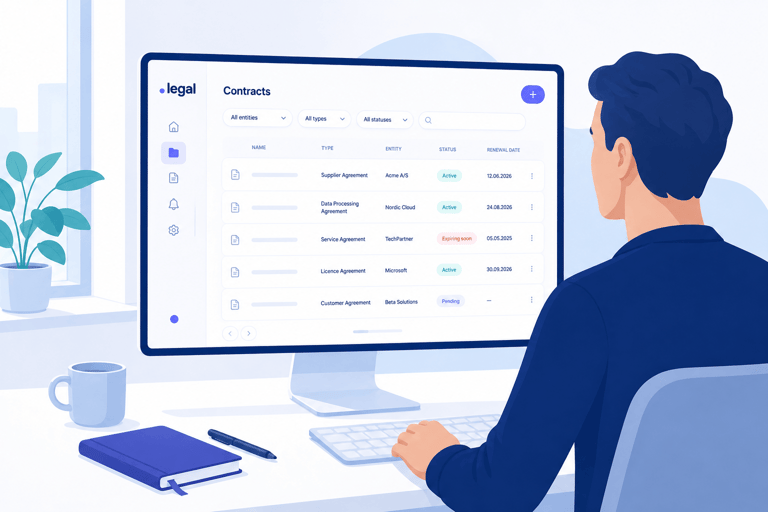
Which email attachment confirmed the updated terms with your supplier? When does the software agreement expire – the one you've been paying for, but hardly anyone uses? And who in your organisation actually knows what you've committed to in your ten most important customer contracts?
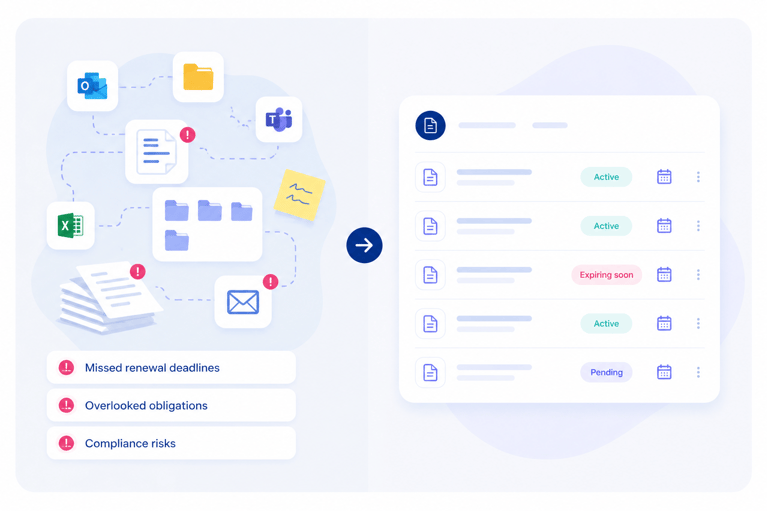
If you can't answer those questions quickly, you're not alone. For many organisations, contracts are scattered across email inboxes, shared folders, local hard drives and paper archives. The result is missed deadlines, overlooked obligations and agreements that quietly roll over on automatic renewal without anyone making a deliberate decision.
The good news is that you don't have to solve it all at once. Contract management isn't a project with a start and end date. It's a practice that matures over time. Here is our 8-step guide to implementing contract management in your organisation, no matter where you're starting from.
Why Does Contract Management Matter?
A contract is, at its core, a mutual agreement on what two parties commit to. But in practice, many organisations accumulate contracts over the years without ever creating a clear overview. That has real consequences.
Subscriptions and agreements that auto-renew cost money. Supplier contracts that aren't monitored can erode legal protections. And data processing agreements that aren't followed up can lead to GDPR violations and significant fines. Contract management, in other words, isn't just about having an overview. It's a question of risk management.
Read more about what contract compliance means and why it matters for your organisation.
Step 1: Map Where Your Contracts Currently Live
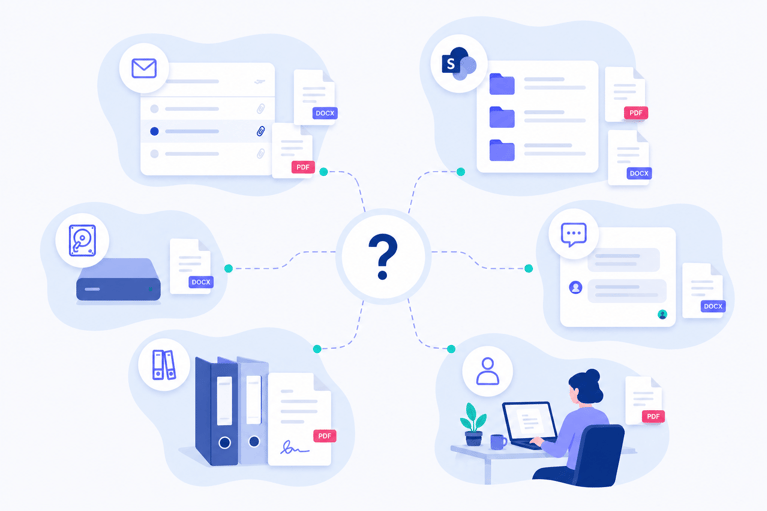
Before you can create an overview, you need to know where your contracts actually are. It sounds straightforward, but for many organisations the answer is surprisingly complicated.
Contracts might be sitting in shared SharePoint folders, in individual colleagues' email inboxes, on local hard drives, in physical binders or as attachments buried in old correspondence. Start by mapping the places contracts typically end up in your organisation. You don't need to find them all immediately. The goal is to identify the sources.
Ask yourself and your colleagues: who typically holds on to contracts? What happens when a new agreement is signed? Does the document land in a shared folder, or does the responsible person save it locally? The clearer the map, the easier it becomes to consolidate everything later.
Step 2: Define Your Organisational Structure and Contract Types
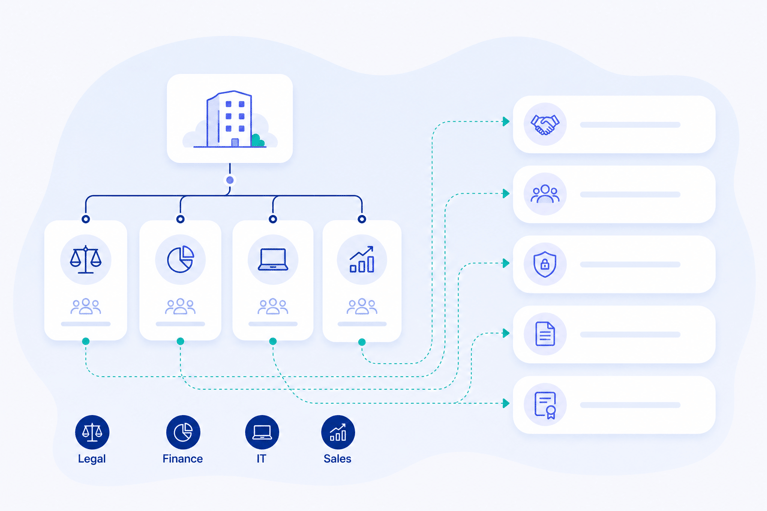
Contract management works best when you understand your own organisation. Before you start importing contracts, there are two things worth spending a little time on.
Organisational structure: Which departments do you have? A contract is typically anchored in one department, which is responsible for it and needs access to it. That's important both for your overview and for access management within your contract system.
Contract types: Make a list of the types of agreements you typically work with. These might include:
- Supplier agreements
- Customer agreements
- Service agreements
- Data processing agreements
- Collaboration agreements
- Licence agreements
You don't need an exhaustive list from day one. But having a basic structure in place before you start importing makes the whole process far more manageable, and it saves you a clean-up job later.
Step 3: Import and Register Your Contracts
Now it's time to start consolidating your contracts in one place. When you create a contract record, there's a handful of information we recommend registering on every agreement:
- Contract document (upload the agreement itself)
- Contract type (supplier agreement, customer agreement, etc.)
- Responsible person (who owns the agreement internally?)
- Department (which business unit does it belong to?)
- Counterparty (who is the agreement with?)
- End date (does the agreement have an expiry date?)
- Auto-renewal (does it renew automatically, and if so, when and with what notice period?)
These seven fields give you a strong foundation. Once they're registered across all your contracts, you can start searching, filtering and building an overview.
Don't forget attachments. A contract document is rarely the only relevant file in an agreement. Attach emails, appendices, SLA documents or screenshots of correspondence directly to the contract record. The more consolidated your documentation, the easier it is to navigate.
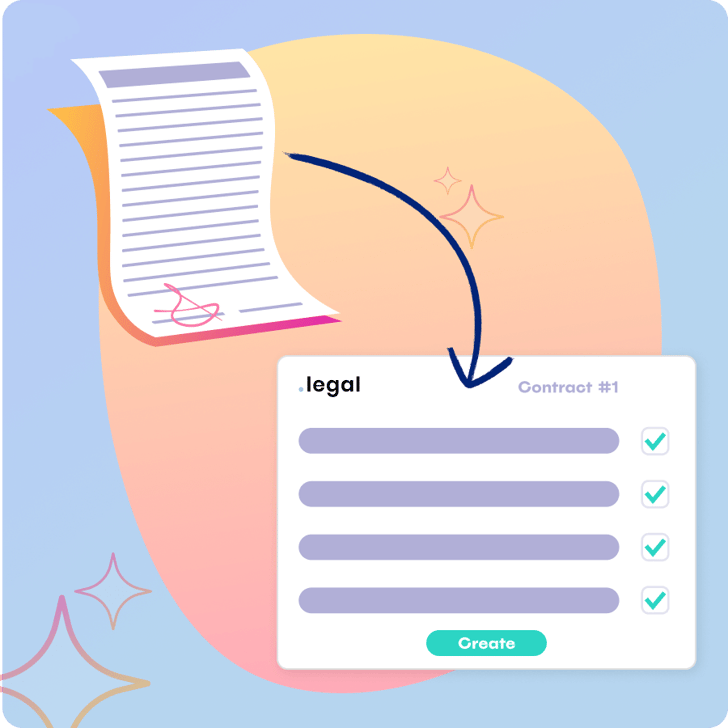
Tip: Use AI to speed up registration. In .legal's contract module, you can use AI-assisted contract creation, which reads the uploaded document and automatically suggests relevant fields – parties, terms, contract value and description. It saves time and ensures you don't miss important details.
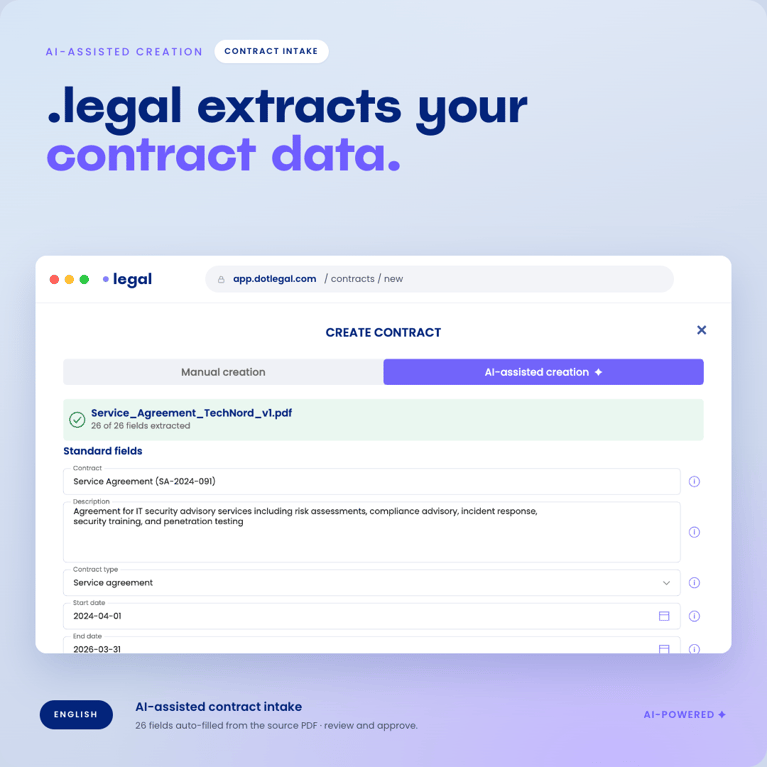
Step 4: Build Your First Filtered Views
Once you've imported your contracts with the key metadata in place, you're already making progress. Now the goal is to turn that data into useful, actionable views.
Take a moment to define what matters most to you and your organisation, then build the filtered views that make sense. Here are three classic starting points:
- Contracts expiring this year: Filter by end date and get a consolidated view of which agreements need attention within the next 12 months.
- Contracts with auto-renewal: Which agreements renew automatically? Has your organisation made a deliberate decision on all of them?
- High-value contracts: Filter by contract value and flag your most important agreements as high-priority.
Already at this stage, you'll feel the value of having a dedicated platform for your contract work. Data that was previously scattered and unread now gives you an actionable overview.
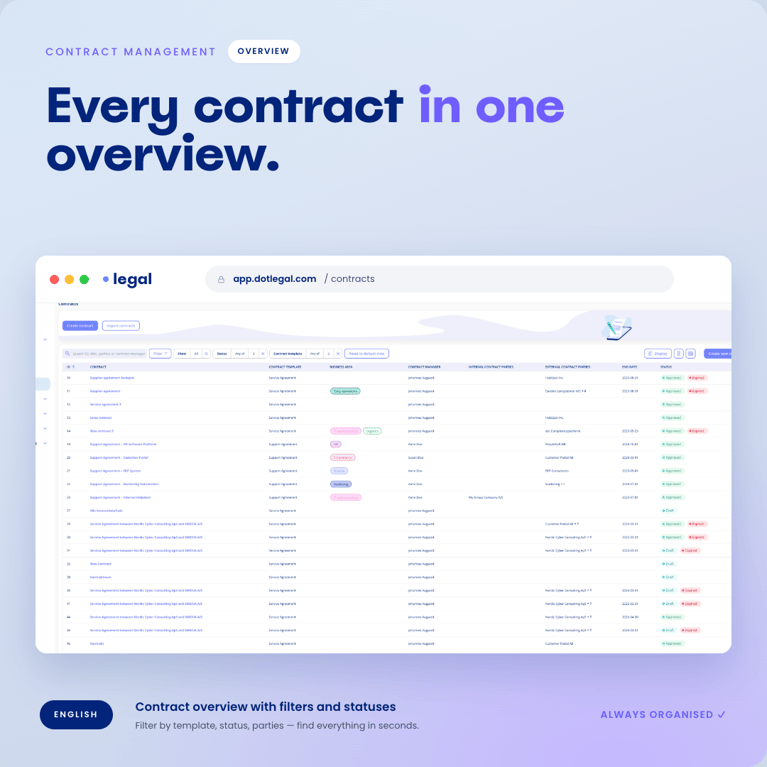
Step 5: Use Document Search to Surface Important Details
Now you have your contract documents consolidated in one place. That opens up a capability you didn't have before: you can search across all of them at once.
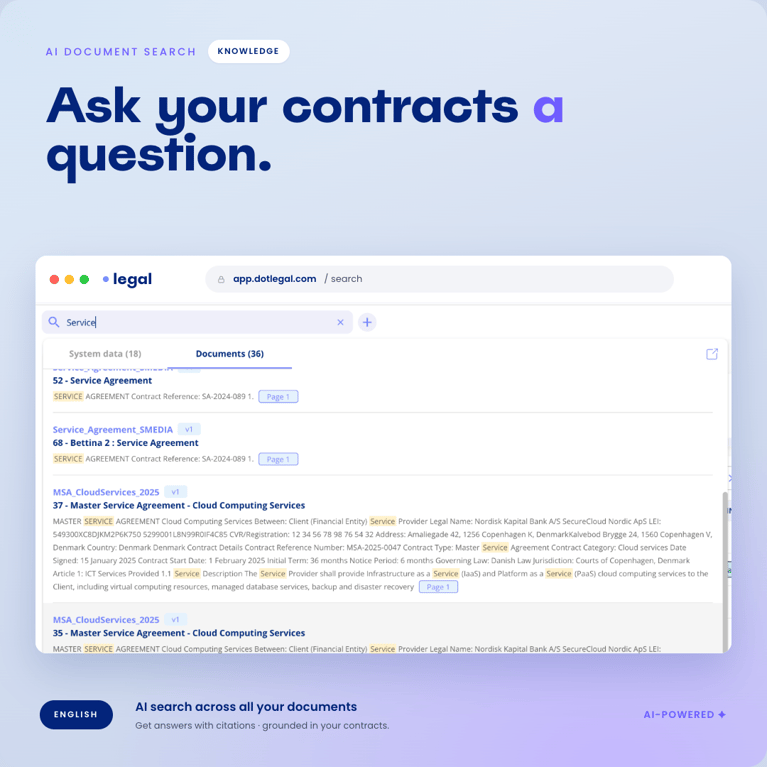
Many organisations discover at this point that important details are buried in their contracts but have never been captured as metadata. Perhaps you have an SLA clause in three different supplier agreements. Perhaps some contracts contain a price-escalation clause that no one has ever paid attention to. With document search, you can search across all your contracts and find exactly what you're looking for.
When you find important information through the search, the next step is straightforward: add it as metadata on the contract. The more structured your data, the more useful your overview becomes.
In .legal, you can search across all your contract documents using the document search feature. It covers PDFs, Word documents, images and emails. Thanks to OCR scanning, you can even search through older scanned paper contracts.
Step 6: Customise Registration With Contract Templates
A supplier agreement and a customer agreement are fundamentally different. They involve different parties, different risk profiles and different information worth capturing. Once you have the basic overview in place, the natural next step is to increase the level of detail for individual contract types.
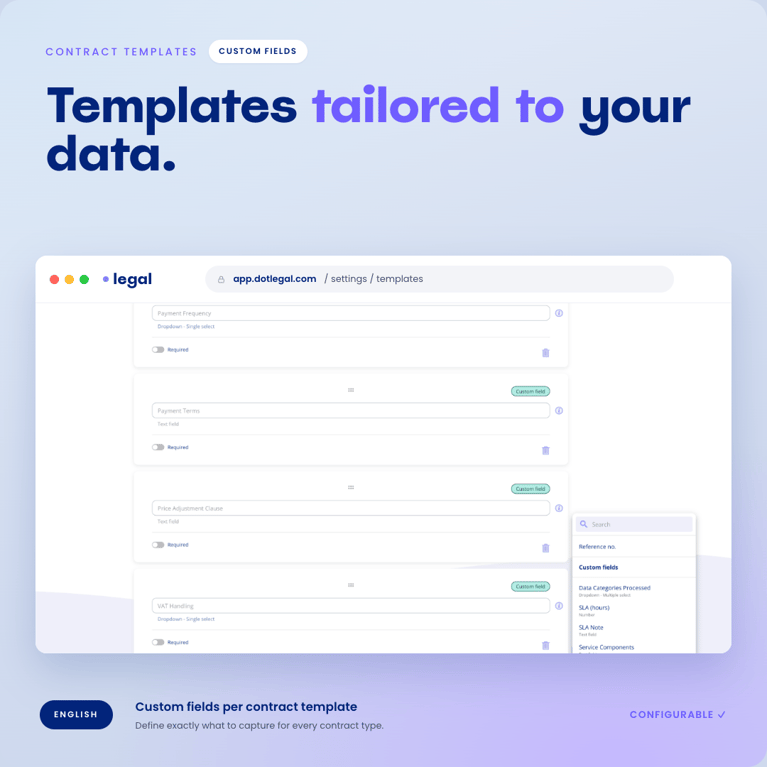
That's where contract templates come in. For each contract type, you define which fields are relevant and what should be registered. Here's an example of what might matter for two different types of agreement:
| Supplier Agreement | Customer Agreement |
|---|---|
| Supplier name and registration number | Customer name and registration number |
| Contract value (incl. VAT) | Revenue / subscription value |
| Payment terms | Payment terms |
| SLA level and response time | Support level and SLA |
| Notice period for termination | Duration and notice period |
| Responsible procurement manager | Responsible account manager |
| Is a data processing agreement in place? | Is a data processing agreement in place? |
Sit down and define – for each contract type – which fields will deliver the most value. Design templates that reflect how you actually work with agreements, so colleagues can register contracts correctly from the start.
In .legal, you can work with the template add-on, which lets you create custom fields and templates tailored to your specific contract types.
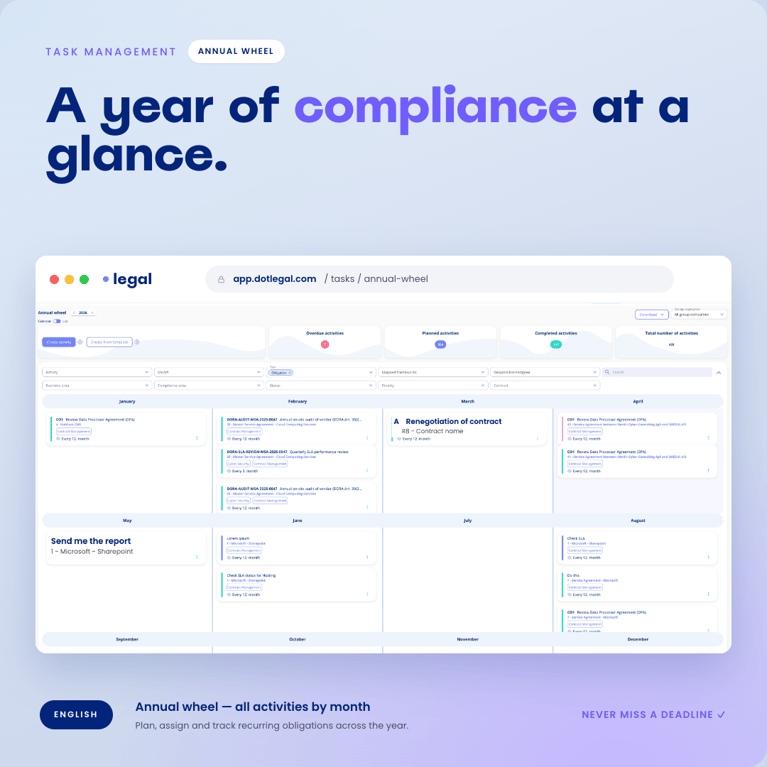
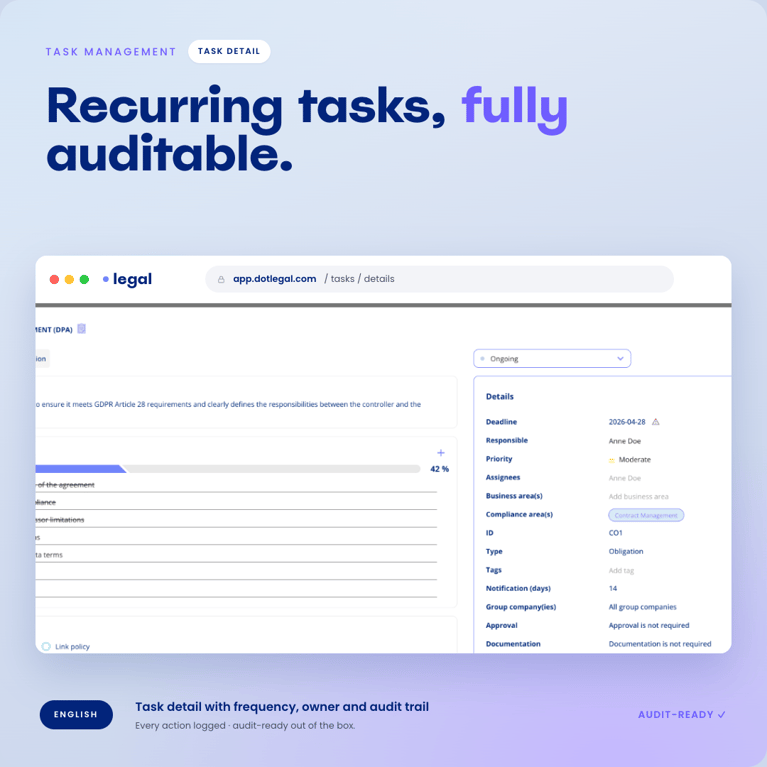
Step 7: Create and Monitor Your Contract Obligations
Having an overview of your contracts is one thing. Making sure you actually meet the obligations you've committed to is another. This is where many organisations are most exposed.
You've likely spent time negotiating important terms into your agreements – reporting requirements, audit rights, price-escalation notices, performance reviews. But who makes sure something actually happens when a deadline approaches?
Our recommendation is to start with your ten most important agreements – you can probably filter them by contract value. Go through each one and consider what it requires of you. Create each obligation as a concrete task with a frequency and assign it to the responsible colleague.
An example of obligations on a supplier agreement:
| Obligation | Frequency | Responsible |
|---|---|---|
| SLA performance review | Quarterly | Procurement manager |
| Data processor audit (DPA) | Annually | DPO / Legal |
| Auto-renewal assessment | Once (90 days before expiry) | Contract owner |
| Update contact persons | Every six months | Contract owner |
Once your obligations are set up, you have a complete annual cycle where you can track whether your organisation is meeting its commitments across all agreements. The responsible person receives an automatic notification when it's time to act.
A useful trick: link obligations directly to the contract template. When you register a data processing agreement, for instance, the system can automatically create the annual audit obligation. That way, you'll never forget to add it when a new agreement of that type is created.
In .legal, you can manage and track your obligations with the obligations add-on.
Step 8: Review the Quality of Your Agreements
By this point, you've come a long way. You have an overview, a structure and a system that ensures your organisation acts on commitments on time. That creates space for one more question: are the agreements you've signed actually good ones?
Most organisations have a sense of what a strong agreement looks like. Standard payment terms, appropriate termination rights, clear allocations of responsibility. But do your existing contracts actually reflect that?
Start with your ten most important agreements and review them against an internal checklist. What have you agreed to? Are your standard terms in place? Is there anything that could be renegotiated at the next opportunity?
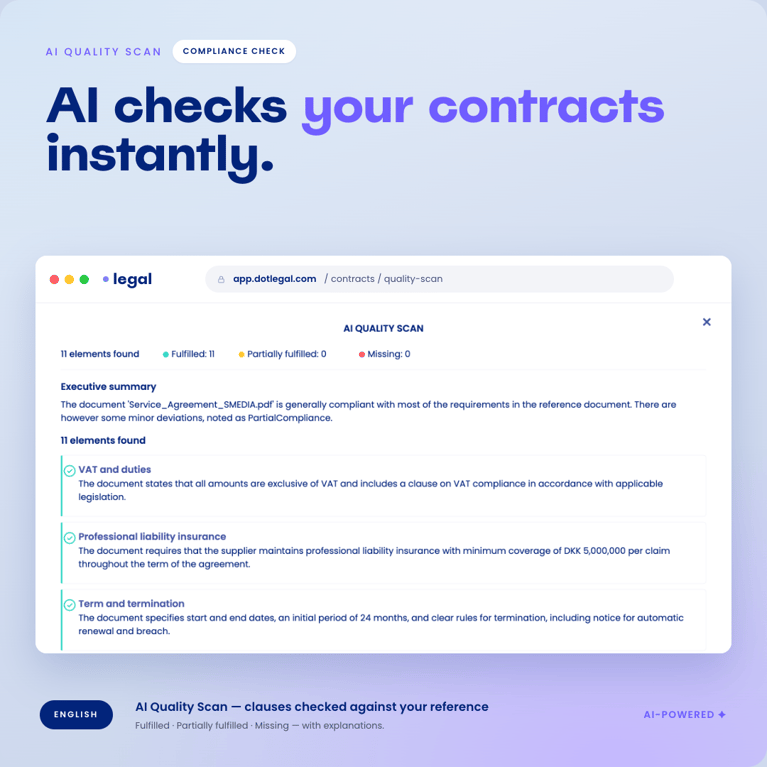
AI can help here too. In .legal, you can use the AI feature to scan a contract document against a checklist and flag areas for attention. It gives you a rapid overview of where there are deviations from your standards and what may need to be followed up.
You Don't Have to Do It All at Once
Eight steps sounds like a lot. But it doesn't have to be. Contract management isn't a project with a defined end date. It's a practice that develops over time.
Start with steps 1 to 4. Map, define, import and build your first overview. That alone will deliver a tangible benefit. You'll know what you have, and you'll avoid the most obvious pitfalls – automatic renewals rolling unnoticed, expiry dates slipping by.
Steps 5 to 8 are there when you're ready. And you'll find that each step you complete builds naturally on the one before. Contract management is a discipline that can be implemented gradually, and the most important thing isn't starting perfectly. The most important thing is starting.
Want help getting going? Book a demo and see how .legal can support your organisation in implementing contract management in practice.
Further reading: What is contract management? and What is contract compliance?










.legal compliance platform
Implement Contract Management with .legal
-
AI-assisted contract registration
-
Filtered overviews and document search
-
Custom templates per contract type
-
Annual obligation tracking with reminders
-
AI quality scan against your standards





.jpeg?width=131&height=26&name=right_people_logo%20(1).jpeg)

.jpg?width=58&height=26&name=Praktiserende%20L%C3%A6gers%20Organisation%20(1).jpg)
.jpg?width=108&height=26&name=finans%20danmark%20(1).jpg)


.jpg?width=89&height=26&name=klasselotteri%20(1).jpg)

-1.png?width=34&height=26&name=bws_shipping_rgb%20-%20Kopi%20(2)-1.png)



.jpeg?width=135&height=26&name=AH%20industries%20(1).jpeg)






.jpg?width=225&height=26&name=KAUFMANN%20(1).jpg)




