When we launched Enterprise Risk Management in August, every risk assessment started with an entity: a processing activity, an asset or a supplier. That works well when a risk is tied to something specific, but not every risk is. Some belong to the organisation as a whole. With this update, you can now assess those too, in the same module and with the same tools you already use. Organisational risk is part of the Enterprise Risk Management add-on.
Not every risk has an entity
Think about losing a key person, a new regulation that changes how you operate, damage to your reputation or a cyber attack that brings the whole business to a halt. These are often among the most serious risks an organisation faces, but they don't belong to a single processing activity, asset or supplier. Until now, you'd either have to attach them to an entity where they didn't really fit, or manage them somewhere else entirely. Now they have a proper home.
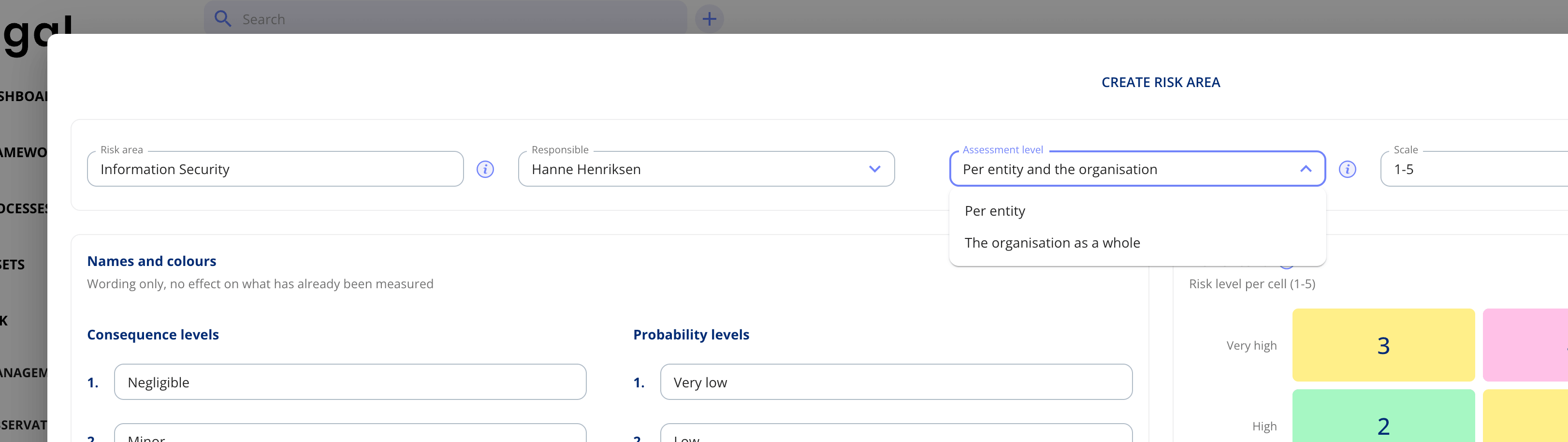
Choose the assessment level for each risk area
When you create a risk area, you now choose an assessment level alongside the name, owner, scale and appetite. Choose "Per entity" to work as before, "The organisation as a whole" to assess risks that apply across the organisation, or "Per entity and the organisation" if the area covers both. A risk area for information security, for example, might include risks on specific systems alongside risks that affect the entire organisation.
How it works
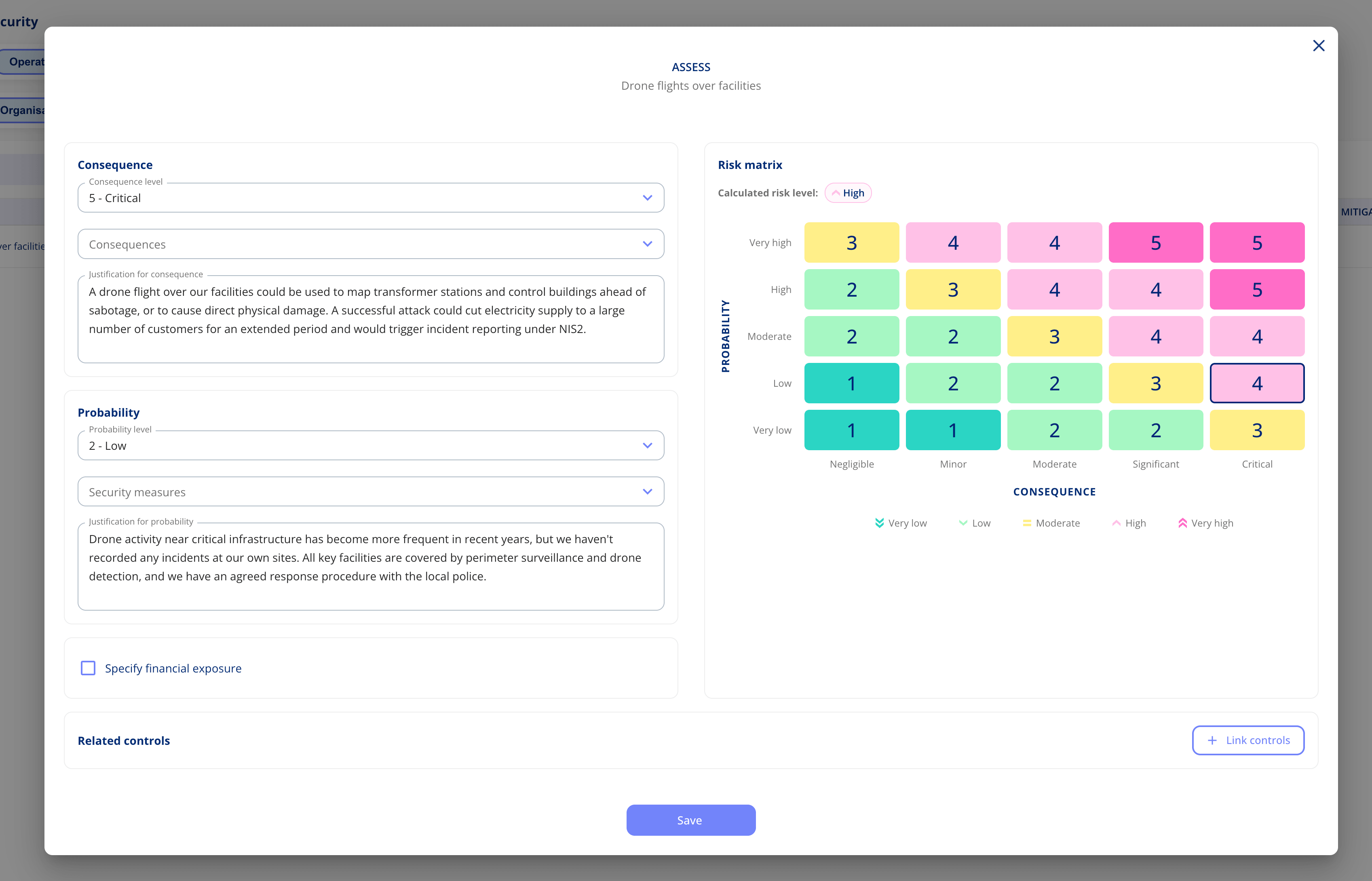
At organisational level, there's no need to choose entities first. You add risk scenarios directly to the risk area and assess them from there.

Everything else works exactly as you know it. You set consequence and probability, justify your assessment, add risk exposure if relevant, and decide whether to accept, avoid or mitigate the risk. Mitigation plans, the audit trail and each scenario's timeline all work the same way.
Easy to tell apart
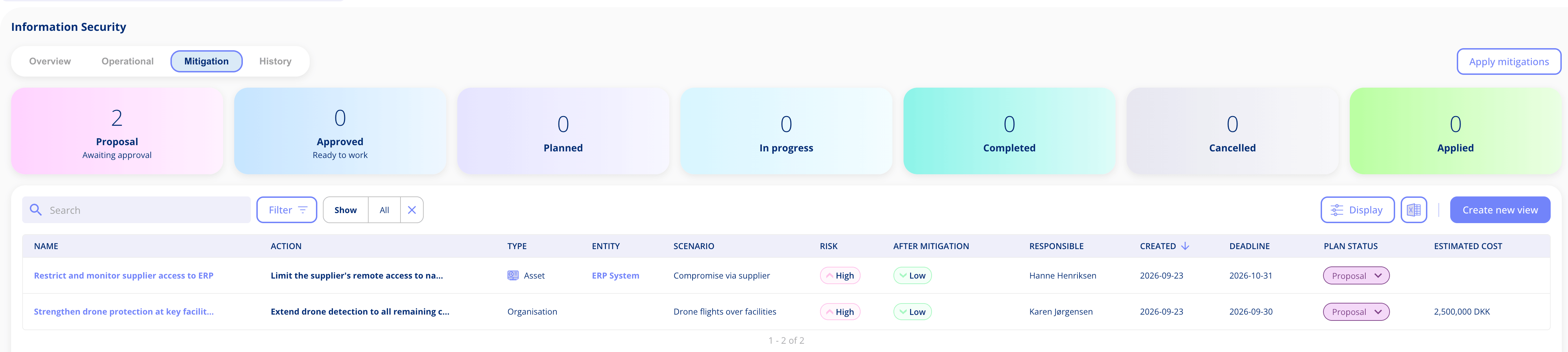
Every assessment has a type showing what it concerns: a processing activity, an asset, a legal entity or the organisation. In the mitigation overview, for example, the Type column shows whether a plan relates to an entity or to the organisation, and the Entity column is left empty for organisational risks. You can also filter by type, so it's easy to pull out just your organisational risks. This matters most in risk areas that cover both, where you can see at a glance whether an assessment concerns a specific entity or the organisation itself.
The full picture in your overview and management report
The governance overview shows your progress on organisational risks just as it does for entities, such as how many scenarios have been assessed and how many sit above appetite. In risk areas that cover both, entities and organisational scenarios are shown separately. The management report follows the same approach, so management gets the complete picture with a clear split between risks tied to entities and risks that concern the organisation as a whole.
Got feedback?
We'd love to hear from you! Your input helps us keep improving the platform. Please don't hesitate to reach out to our support team with your thoughts, questions, or suggestions. 🚀
.png?width=1194&height=672&name=Feature%20image_enterprise%20risk%20managemet%20(1).png)
.png?width=1194&height=672&name=Feature%20image%20(1).png)
.png?width=1200&height=627&name=Incident%20log%20and%20risk%20management%20(tiny).png)




.jpeg?width=131&height=26&name=right_people_logo%20(1).jpeg)

.jpg?width=58&height=26&name=Praktiserende%20L%C3%A6gers%20Organisation%20(1).jpg)
.jpg?width=108&height=26&name=finans%20danmark%20(1).jpg)


.jpg?width=89&height=26&name=klasselotteri%20(1).jpg)

-1.png?width=68&height=52&name=bws_shipping_rgb%20-%20Kopi%20(2)-1.png)



.jpeg?width=135&height=26&name=AH%20industries%20(1).jpeg)






.jpg?width=493&height=57&name=KAUFMANN%20(1).jpg)