
ADD-ON · ENTERPRISE RISK MANAGEMENT
Risk that speaks your language.
Ask three departments what a high risk looks like and you'll get three answers. With Enterprise Risk Management, every risk area gets its own matrix, its own wording and its own appetite, so the assessment fits the domain instead of forcing the domain to fit the assessment.
 Watch the video

.png?width=68&height=52&name=bws_shipping_rgb%20-%20Kopi%20(2).png)






.jpeg?width=131&height=26&name=right_people_logo%20(1).jpeg)

.jpg?width=58&height=26&name=Praktiserende%20L%C3%A6gers%20Organisation%20(1).jpg)
.jpg?width=108&height=26&name=finans%20danmark%20(1).jpg)


.jpg?width=89&height=26&name=klasselotteri%20(1).jpg)

-1.png?width=34&height=26&name=bws_shipping_rgb%20-%20Kopi%20(2)-1.png)



.jpeg?width=135&height=26&name=AH%20industries%20(1).jpeg)






.jpg?width=225&height=26&name=KAUFMANN%20(1).jpg)




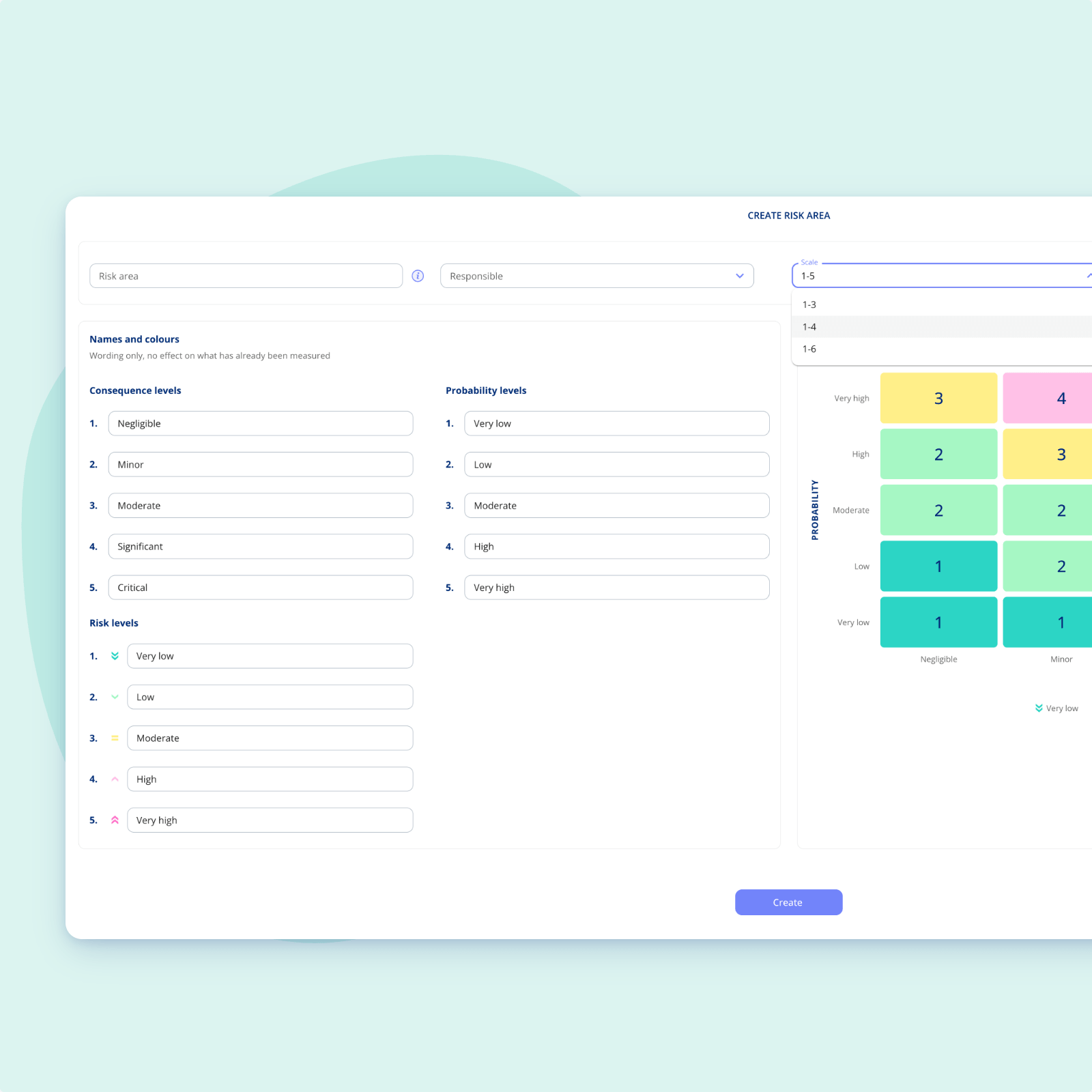
One scale never fits every risk area
Most organisations start with low, medium and high in a spreadsheet, built back when GDPR landed. Then NIS2 arrives and three steps are suddenly too blunt to say anything useful. The problem isn't the spreadsheet. It's that everyone has to share one vocabulary.
-
Different domains, different language: IT thinks downtime and attack surface. Legal thinks data subjects and fines. Both are right, and neither should have to translate.
-
Maturity grows: The scale you started with is rarely the scale you need three years later. Your setup has to be able to grow with you.
-
Appetite isn't universal: You may accept more on information security than you ever would on personal data. That belongs in the system, not in a footnote.
Why one matrix isn't enough
A short look at how risk areas, scales and appetite fit together.

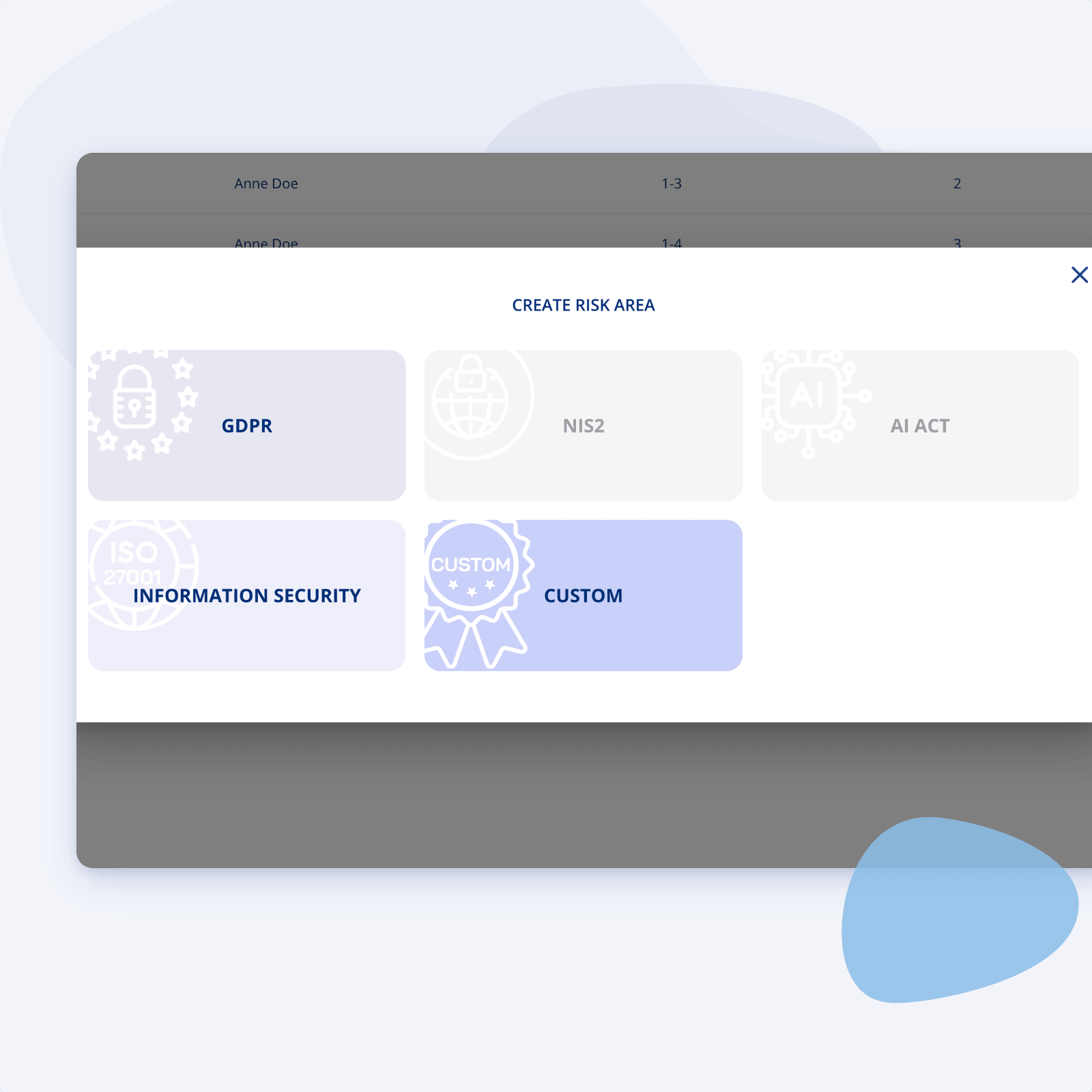
Set up as many risk areas as you need
A risk area defines one compliance or security domain you want to assess and manage risk within. GDPR, NIS2, the AI Act, information security, or something you define yourself.
-
Built around your structure: Create the areas that match how your organisation is actually organised, not a fixed list you have to work around.
-
Each area stands on its own: Its own matrix, its own scenarios, its own appetite. Nothing bleeds between areas unless you want it to.
-
Named and recognisable: Give each area a name and an icon, so people know where they are the moment they open it.
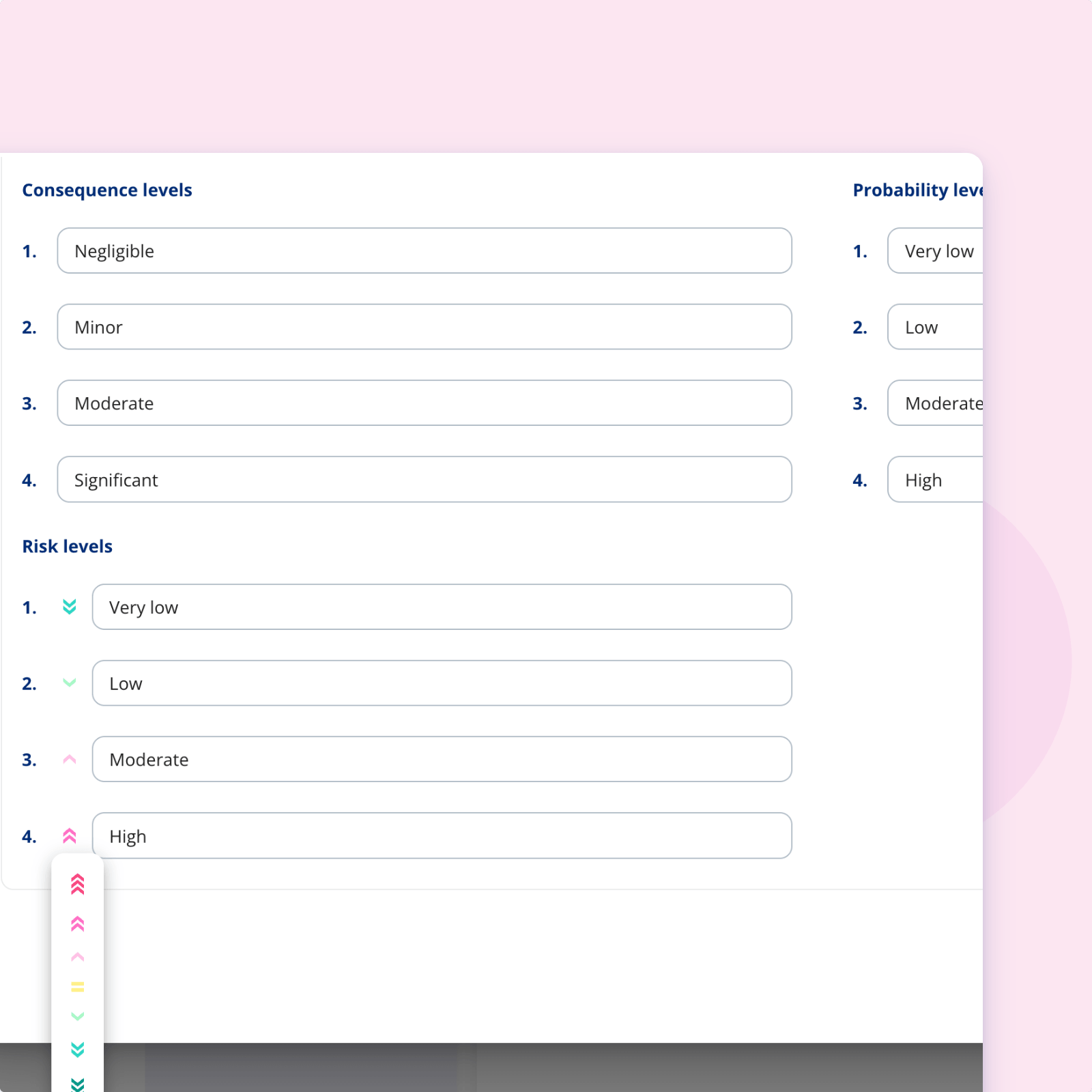
Decide the scale, the wording and the icons
The scale is a deliberate choice, not something you inherit. Pick the number of levels the area needs and name them in the language people there actually use.
-
From simple to detailed: Run a three step scale where three steps is enough, and a six step scale where you need the nuance.
-
Your words, not ours: "Low, medium, high" in one area can be "negligible, limited, significant, critical" in another.
-
Icons per level: Make the levels readable at a glance, for people who don't work with risk every day.
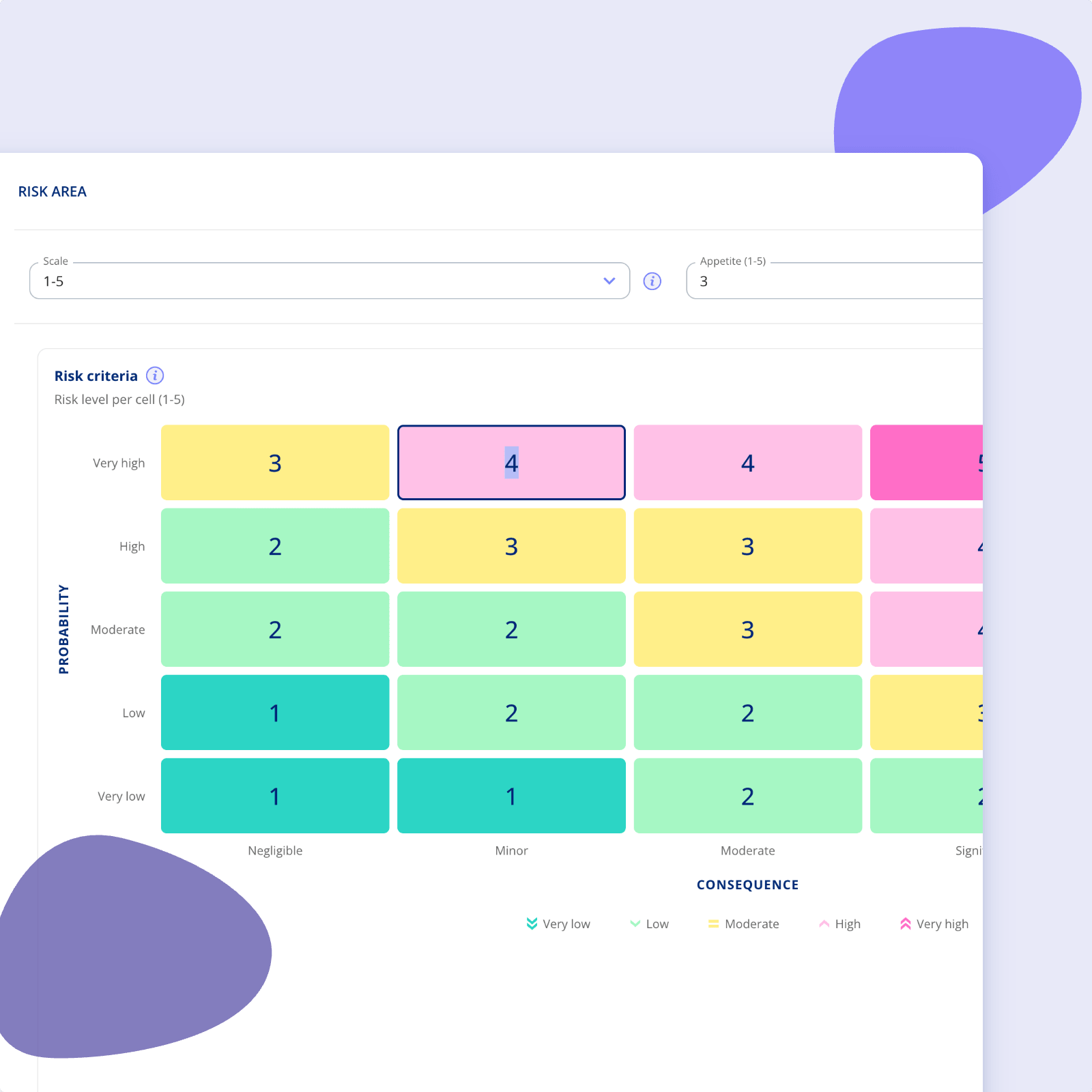
Edit the matrix to match your risk model
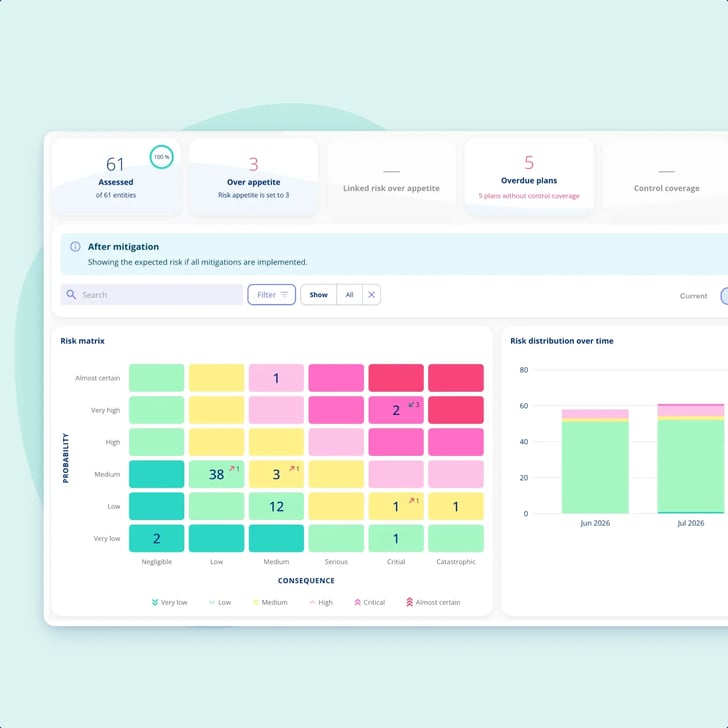
The matrix maps every combination of consequence and probability to a risk level. It arrives pre-filled with recommended defaults, and every cell can be changed.
-
Click any cell: Adjust a single combination without rebuilding the whole model.
-
Handle regulatory requirements: Where GDPR or NIS2 mean certain combinations must always come out high, set that once and it holds.
-
Weight it your way: Some industries treat consequence as far more important than probability. The matrix can say so.
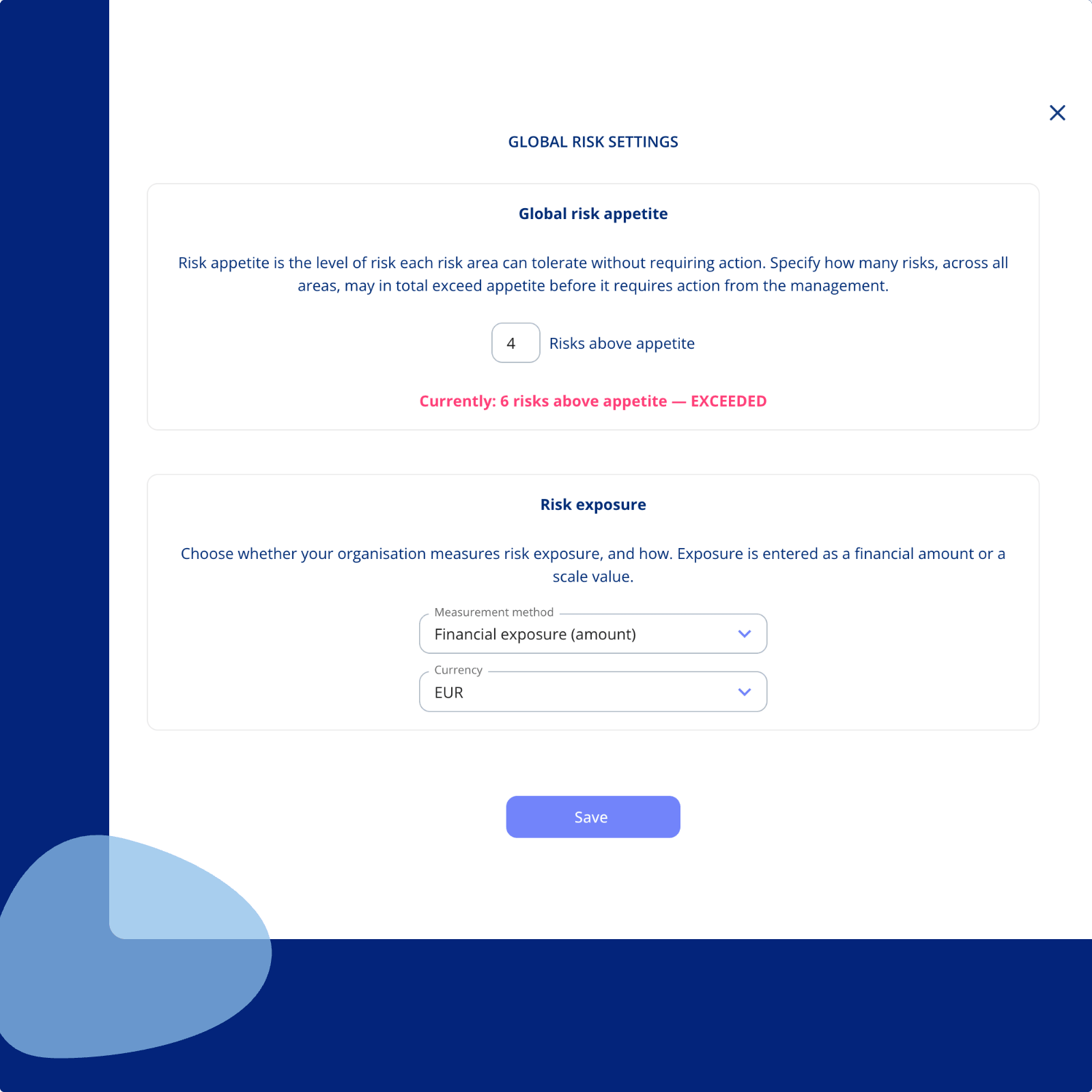
Set appetite per area, and one across the organisation
Risk appetite is the highest risk level an area accepts before anything above it gets flagged.
-
Per area: Different domains carry different tolerance. Set the line where it belongs in each one.
-
Globally: Define how many risks in total, across every area, may sit above appetite before management needs to act.
-
Visible, not implied: Everything above the line is flagged automatically, so nobody has to remember what the threshold was.

Getting You Started
Customer Support
-
You get a dedicated Customer Success Manager.
-
Personal onboarding to ensure a smooth start.
-
Support available Monday to Friday, 9 AM to 3 PM.

.legal compliance platform
Begin with Enterprise Risk Management today
-
Works alongside your existing frameworks
-
Free onboarding included
-
No commitment