
ADD-ON · ENTERPRISE RISK MANAGEMENT
From a coloured cell to a task somebody owns.
Identifying a risk is the easy part. Deciding what to do about it is where risk work either becomes real or quietly stops. Accept it, avoid it, or build a plan, and follow that plan from proposed through approved to completed.
 Watch the video

.png?width=68&height=52&name=bws_shipping_rgb%20-%20Kopi%20(2).png)






.jpeg?width=131&height=26&name=right_people_logo%20(1).jpeg)

.jpg?width=58&height=26&name=Praktiserende%20L%C3%A6gers%20Organisation%20(1).jpg)
.jpg?width=108&height=26&name=finans%20danmark%20(1).jpg)


.jpg?width=89&height=26&name=klasselotteri%20(1).jpg)

-1.png?width=34&height=26&name=bws_shipping_rgb%20-%20Kopi%20(2)-1.png)



.jpeg?width=135&height=26&name=AH%20industries%20(1).jpeg)






.jpg?width=225&height=26&name=KAUFMANN%20(1).jpg)




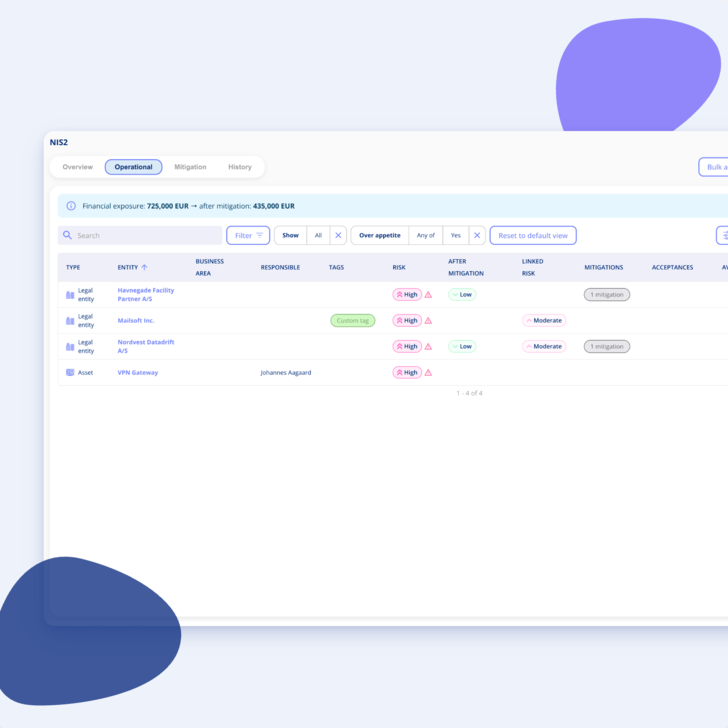
A risk register nobody acts on is just a list
The moment a risk is written down, you've taken a position on it. Including if you do nothing. Most registers fall apart at exactly this point, because the decision lives in an email thread and the action lives in someone's head.
-
Start where it matters: The interesting risks are the ones above the appetite you set yourselves, not the whole register.
-
Three real options: Accepting a risk is a legitimate decision, as long as it's a decision rather than an oversight.
-
Plans need owners: An action plan without a status and a responsible person is a good intention.
Accept, avoid or mitigate
A short look at how an assessment turns into an action plan.

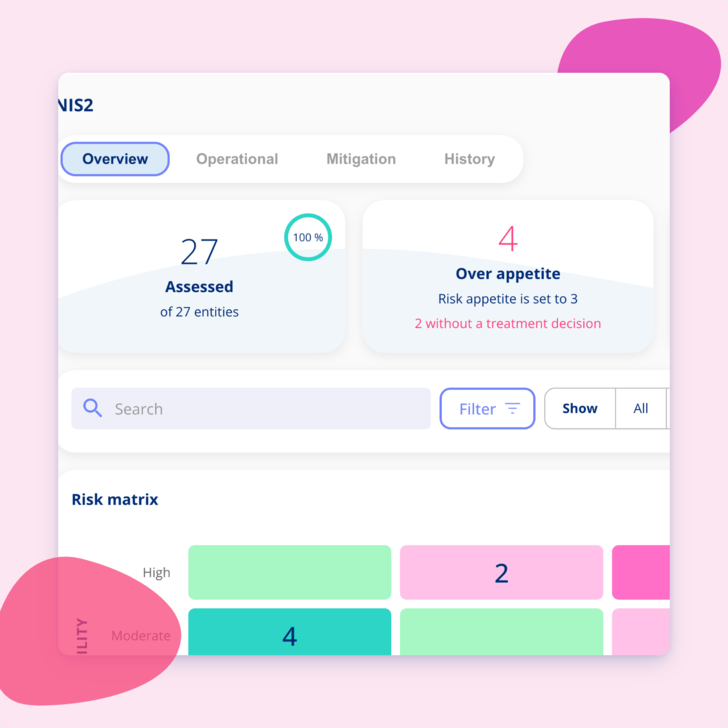
Start from what's above appetite
Every area shows how many risks currently sit above the line you've set.
-
Filter straight to it: Go from the full register to the ones that need a decision in one click.
-
Context stays attached: The assessment, the justification and the history sit right next to the risk you're deciding on.
-
Nothing hides: Risks above appetite show up in the area overview and in the management report without anyone flagging them manually.
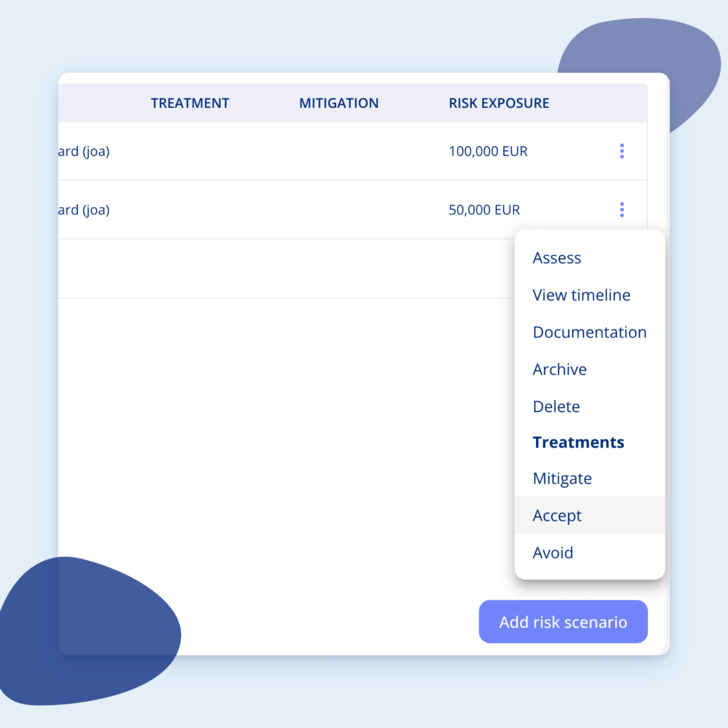
Accept, avoid or mitigate
Once a risk is assessed, you choose how to handle it.
-
Accept: Live with the risk as it stands, with the reasoning recorded.
-
Avoid: Stop the activity that creates the risk in the first place.
-
Mitigate: Build an action plan describing what will be done and the risk level you expect to land on afterwards.
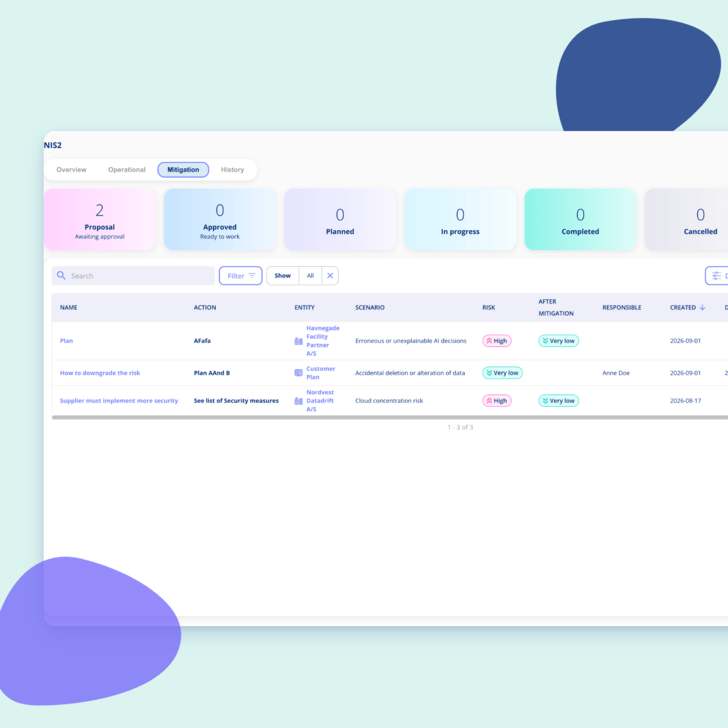
Follow the plan from proposed to completed
Mitigation plans move through a lifecycle, so it's always clear where one has got to.
-
Proposed, approved, completed: Approval happens in the platform rather than in a mail thread nobody can find later.
-
Expected effect up front: The plan states the risk level you expect once it's done, so the decision to approve it is an informed one.
-
Overdue plans surface: Anything past its date shows in the area overview as a figure, not as a surprise.
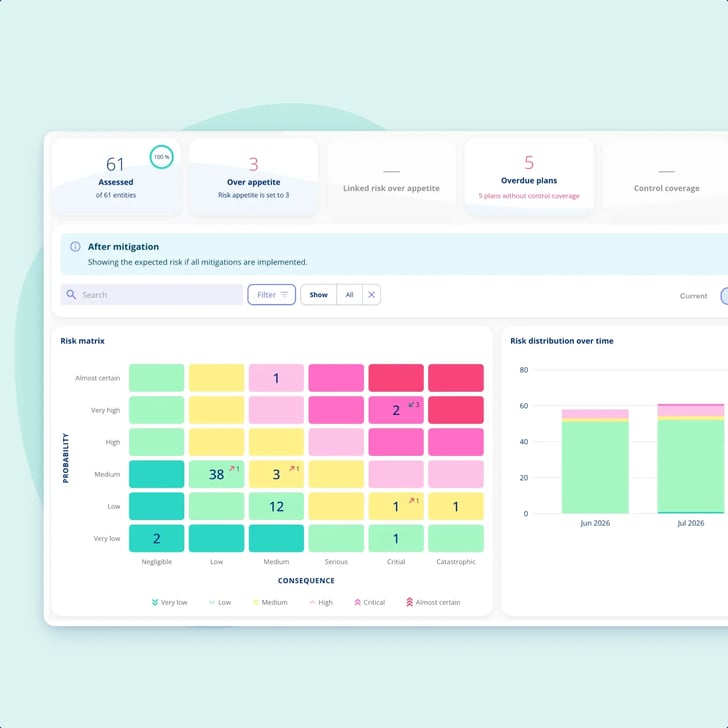
Completed plans update the risk automatically
When a plan is marked as completed, the current risk level updates on its own.
-
No double bookkeeping: You don't reassess separately just to reflect work you've already recorded.
-
History is kept: The previous state is saved, so you can still see what the risk looked like before the plan.
-
The picture moves: The area overview and the management report both reflect the change straight away.
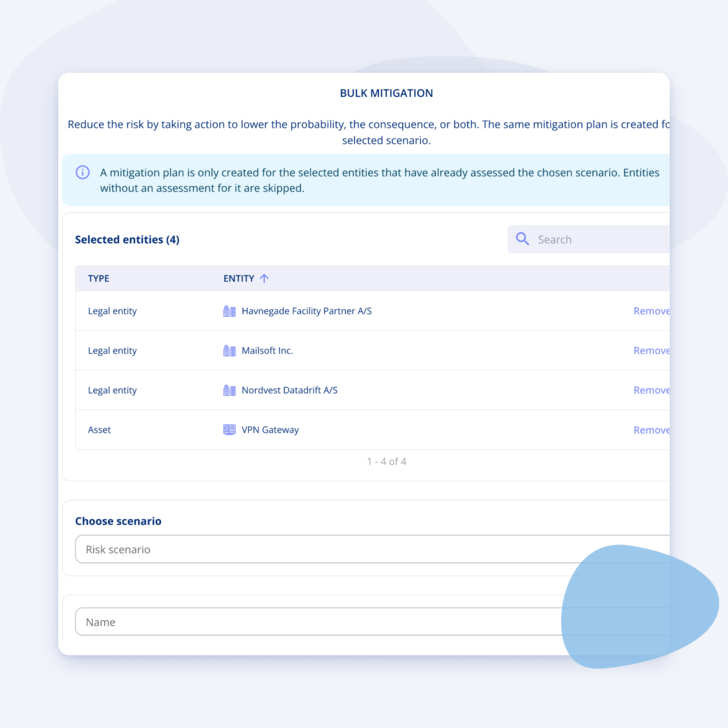
Mitigate across many entities at once
One control often addresses the same risk on ten different systems.
-
Bulk mitigation: Apply the same plan across several entities in one action.
-
Consistent wording: The same measure described the same way everywhere, which matters when an auditor reads it.
-
A real work list: The plan overview shows what's waiting for approval and what's overdue, in one place.

Getting You Started
Customer Support
-
You get a dedicated Customer Success Manager.
-
Personal onboarding to ensure a smooth start.
-
Support available Monday to Friday, 9 AM to 3 PM.

.legal compliance platform
Begin with Enterprise Risk Management today
-
Works alongside your existing frameworks
-
Free onboarding included
-
No commitment