
Incident log
Handle incidents properly, and be able to prove it afterwards
Personal data breaches, NIS2 incidents, subject access requests and problems at your suppliers are recorded in one place. Each gets its own template, and you are taken through it step by step. Notification, evidence and follow-up sit on the incident itself, so you can show what you did when someone asks six months later.





























Templates
Five ready-made templates for the incidents you handle most
A subject access request and a ransomware attack do not need the same information. That is why every incident starts with a choice of template, and the template decides which steps and fields you are asked for. If none of them fits, build your own, from scratch or based on a standard template.
-
Personal data breach, when personal data has been lost or seen by someone who should not have seen it
-
NIS2 incident and information security incident, when your systems are affected
-
Supplier incident, when the problem starts at a supplier or data processor
-
Subject access request, when a person asks to see their data

Guided flow
Nobody has to remember what goes in
In the middle of an incident there is no time to look up what the authority will want to know. The flow takes you through it one step at a time. For an information security incident the steps are incident, access, timeline, services and impact, notification, relations and documentation.
-
Required fields, so the essentials are captured before the incident is created
-
Move back and forth between the steps, and complete the incident when you are ready
-
Severity, status and owner on every incident

Observations
What employees report does not get lost
Many incidents start with an employee saying: "That looked odd." Employees report observations through a link, and when an observation turns out to be an incident, you convert it directly with the template that fits.
-
No typing it in twice
-
The same observation can also become a risk scenario, so you handle the incident now and follow up on the risk later

Notification
Reported, notified and the evidence attached
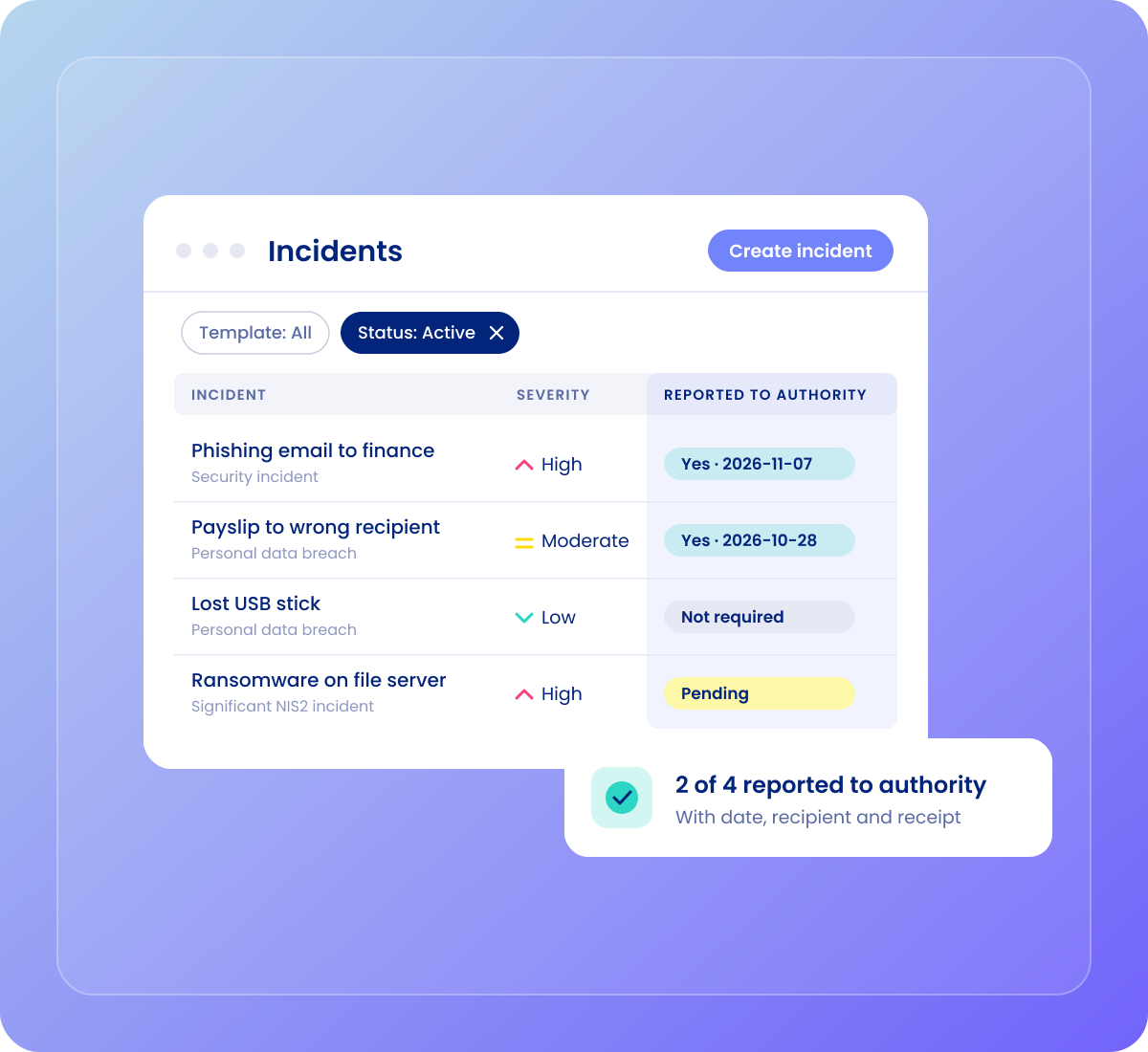
The questions that come afterwards are always the same: Was it reported? When? Were those affected told? And can you prove it? The answers are on the incident. You make the report where you always have, for example to the supervisory authority or your CSIRT, and the log holds the evidence that you did.
-
Whether the notification was sent, when and to whom
-
A copy of the report or receipt attached to the incident, alongside extracts, emails and the supplier's reply

Follow-up
The follow-up gets a name and a date
Recording the incident is half the job. The other half is the work that follows, and that is the part that quietly stalls.
-
Create tasks straight from the incident with an owner and a due date
-
The owner gets a reminder about the task
-
Documents, notes and access in one place on the incident's own overview

Overview
See where the pressure is
When there are many incidents, the overview matters as much as the individual case.
-
Incidents by severity on the Compliance Dashboard, for the whole group or a single company
-
One list of every incident that you can filter by template, severity and status, and save your own views of
-
Download one incident as a zip with its documents and a PDF summary, or the whole log as Excel
Frameworks
The rules behind it
One log for the rules that ask for it.
-

GDPR
See the GDPR frameworkArticles 33 and 34: document the breach, assess whether it must be reported, and whether data subjects must be told.
-

NIS2
See NIS2 in .legalIncident handling and reporting are part of the requirements. The NIS2 incident template has the fields for the notification.
-

ISO 27001
See ISO 27001 in .legalControls 5.24–5.28 on incident management, from planning to learning and collecting evidence.

Demo
See the incident log with your own examples
Bring an incident you have had to the demo, and we will show you how it would look in .legal.