A standard incident form
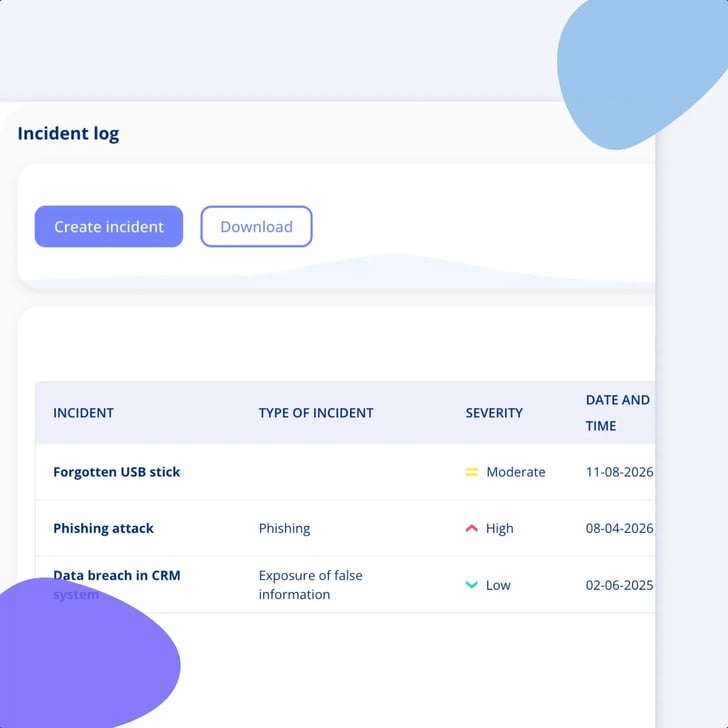
Fixed fields, the same for everybody: what happened and when it started, the cause, the nature of it, the potential consequences and the measures you implemented.
A personal data breach and a security incident go in the same register, on the same form. Record what happened and what you did about it, attach the documentation that proves it, delegate the follow-up, and export the lot when somebody asks six months later.
Unlimited users • Free onboarding and support • No commitment
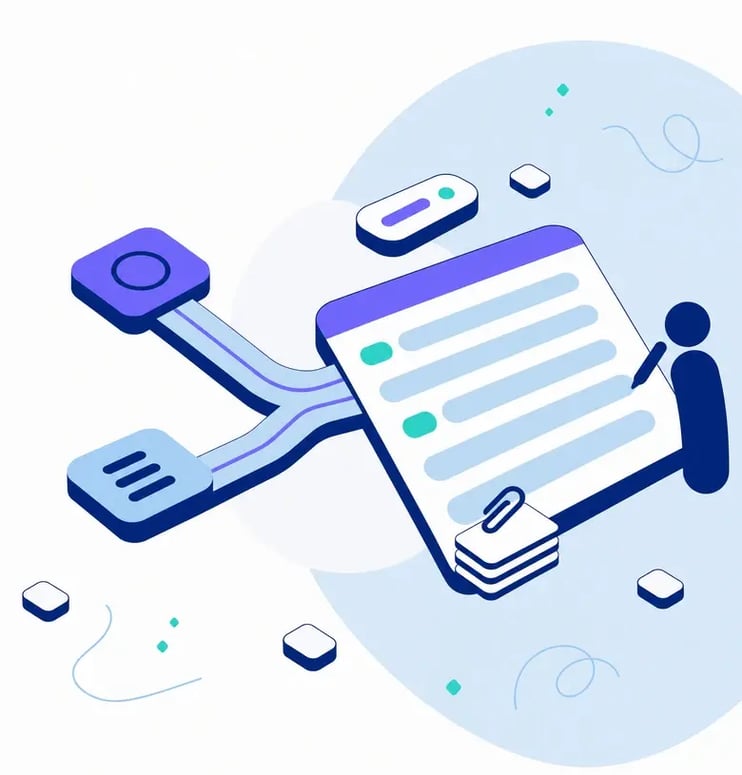
Anders Krogh is CISO at Meridian Nordic, an energy group with entities in Denmark, Sweden and Germany, and NIS2, ISO 27001 and GDPR all live at the same time. Sofie Bruhn, the group DPO, sits with her own half of the same job. Incidents used to be handled in an email thread and written up in a Word file afterwards, if anybody got round to it. Now the two of them register in the same log: what happened, when it started, what caused it, what was done about it, and who was told. The documentation is attached to the record, and the follow-up is a task with somebody's name and a date on it.

One log, two regimes
A personal data breach and an operational security incident are registered in the same place, on the same form, by the same drill.
Evidence on the record
Attach the extract, the email receipt and the supplier's reply to the incident itself, while you create it or at any point after.
Follow-up with a name on it
Create a task straight from the incident with a responsible person, a business area and a deadline, linked back automatically.
It leaves the platform
One incident as a zip of its documents plus a PDF summary, the whole log as Excel, whenever somebody asks to see it.
The incident itself is rarely the hard part six months later. The hard part is that the account of it is spread across four inboxes and one person's memory.
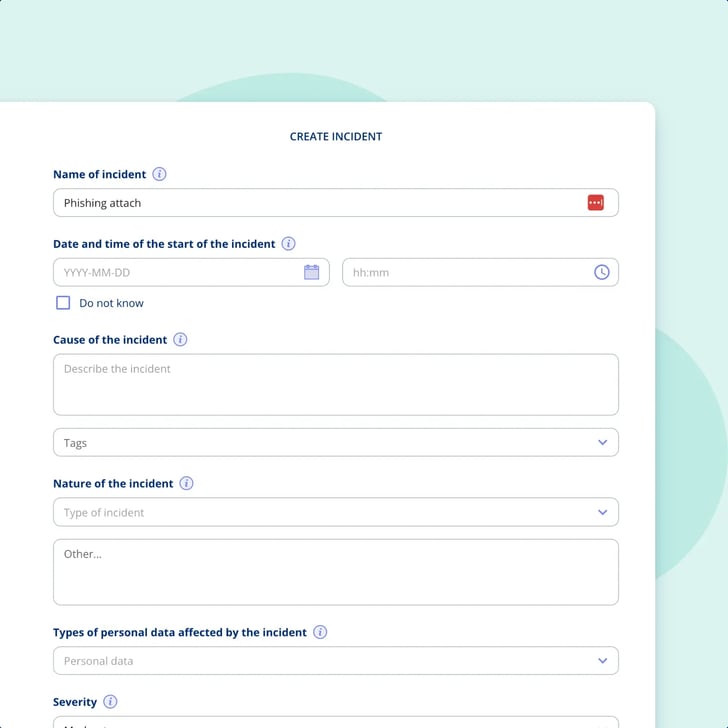
Anders and Sofie do not need two systems and two habits. The incident log is one standard form with fixed fields, and both of them fill in the same one.
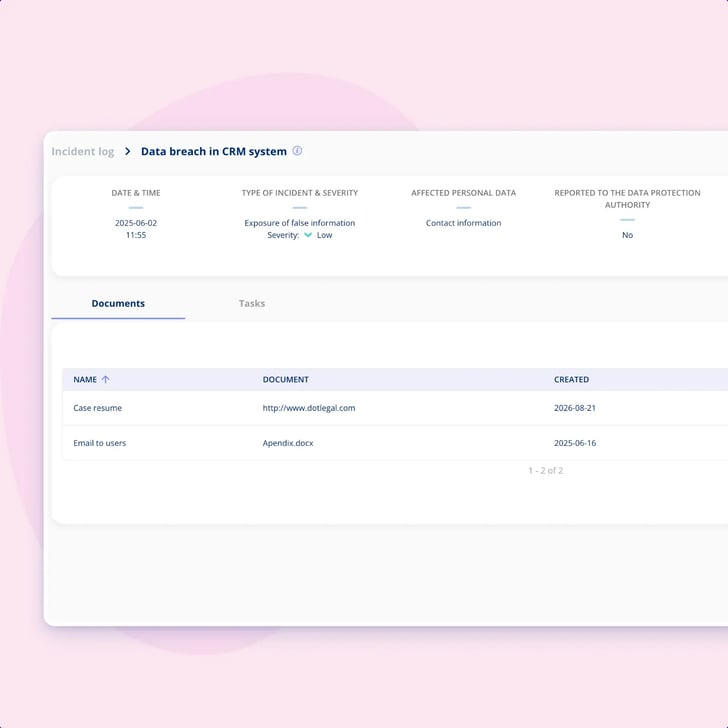
The two questions that come back later are whether you told the authority and whether you told the people affected. Both sit on the record, and so does what proves it.
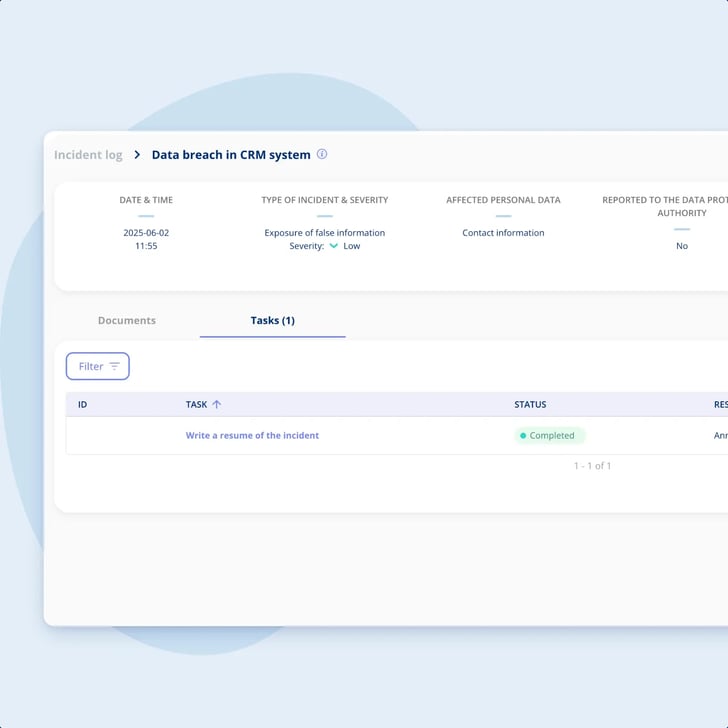
Registering the incident is half the job. The other half is the work that follows it, and that is the half that quietly stalls.

This is what the log is for. Somebody asks months later, and you want one artefact rather than a reconstruction.
Two boundaries, said plainly, because they are the two things everybody assumes. Better read here than discovered during your first incident.
Fixed fields, the same for everybody: what happened and when it started, the cause, the nature of it, the potential consequences and the measures you implemented.
Whether the incident was reported to the data protection authority and when the report was made, and whether the affected individuals were notified.
Upload files while you create the incident or afterwards, an extract from another system or an email receipt for the notification, all gathered on the record.
Create the follow-up from the incident page with a name, a responsible person, a business area and a deadline. The task links back to the incident automatically.
A single incident downloads as a zip of its uploaded documents plus a PDF summary. The full log exports as Excel for an internal review, a report or an audit.
One of the fixed widgets on the Compliance Dashboard shows how registered incidents distribute by severity, for the whole group or drilled down to one company.
One log, and the two regimes that send people looking for it.
GDPR
Articles 33 and 34 are a documentation job: what happened, whether it had to be reported, whether the people affected were told, and what proves it. The fields on the incident log are shaped around exactly that.
NIS2
Incident handling is one of the risk-management measures behind the services you deliver. .legal holds the NIS2 framework and the controls beneath it, and the log is where you document your own handling. Reporting to an authority happens outside the platform.
Where the incident log sits alongside the record of processing, the processing activities, the assets and the annual wheel (årshjul).
Explore GDPRWhere your security documentation and controls live, so incident registration sits next to the controls that ask for it. The frameworks themselves, NIS2 and ISO 27001 among them, are run in the Frameworks module.
Explore Information Security Managementcompanies
users
contracts
processing activities
Bech-Bruun
Mikkel Friis Rossa (Partner)
Fenerum
Rasmus Boutrup (Financial Controller)
Lægeforeningen
Michael Berner (Lawyer)
Molecule Consultancy
Nanna Rodian Christensen (HR & Operational Manager)
Plum Safety
Ulrik Dueholm Beckmann (QC, CM og ESG Lead)
Bech-Bruun
Mikkel Friis Rossa (Partner)
Fenerum
Rasmus Boutrup (Financial Controller)
Lægeforeningen
Michael Berner (Lawyer)
Molecule Consultancy
Nanna Rodian Christensen (HR & Operational Manager)
Plum Safety
Ulrik Dueholm Beckmann (QC, CM og ESG Lead)
Novicell
Julie Oxenvad (Legal Consultant)
Min By Media
Tinna Schultz (HR Manager)
DMJX
Kaspar Rochholz (GDPR Coordinator)
Axel Kaufmann ApS
Julie Lundkvist Andreasen (Lawyer and Head of Costumer Service)
NRGi
Mette Mühlendorph (Compliance Specialist)
Novicell
Julie Oxenvad (Legal Consultant)
Min By Media
Tinna Schultz (HR Manager)
DMJX
Kaspar Rochholz (GDPR Coordinator)
Axel Kaufmann ApS
Julie Lundkvist Andreasen (Lawyer and Head of Costumer Service)
NRGi
Mette Mühlendorph (Compliance Specialist)
Every use case is a real piece of compliance work, told the way it actually runs in the platform. Filter by who you are, what you work with, and which frameworks you answer to.
12 use cases
No use cases match that combination yet. Try removing a filter.
No, and we would rather say it here than let you find out during an incident. There is no countdown on an incident, no 24-hour or 72-hour timer, no one-month reminder, and nothing tells you that a clock has started running. What the log does is hold the decision and the proof: whether the incident had to be reported, whether it was, when the report was made, and whether the affected individuals were notified. We hold the record of the reporting. You do the reporting.
No. There is no submission, no form generated for a supervisory authority and no receipt handling. You report the way you report today, and then the log records that it happened, when it happened and what proves it, an email receipt for example. The point is that afterwards the account and the evidence sit in the same place instead of in somebody's inbox.
One log, and the history behind it is worth knowing. It was built for GDPR, so the fields are shaped around Articles 33 and 34, with the types of personal data involved and the notification of the individuals concerned. There are no NIS2-specific fields and no separate NIS2 incident form. In practice the same register carries both, because the questions asked afterwards are the same ones: what happened, what did you do about it, who did you tell, and can you show it.
Getting NIS2-ready without starting from scratchNo. The platform is the record, not the detector. It does not scan anything and it never derives a status from security breaches found automatically, which is exactly what a SIEM does. Spotting the incident out there is still your job, and registering it is a person filling in a form. If what you need is a SIEM, you need to buy one somewhere else, because this does not replace it.
How the management system runs day to dayTwo things. A single incident downloads as a zip of its uploaded documents together with a PDF summary of the incident itself. The whole log exports as Excel, for an internal review, a report or an audit. Both have been in the product since March 2025, so this is not a new promise.
Keeping your records of processing audit-readyYes, at dashboard level. Incidents by severity is one of the fixed widgets on the Compliance Dashboard, showing how registered incidents distribute by severity, for the whole group or drilled down to a single company. Read it as an operational overview of where the pressure is, not as a management report and not as a status on your compliance.
Not as a relationship in the data model, and we would rather be exact about that than let you assume it. You can name the system or the supplier in the incident's cause field, where you can also @-mention the colleague who deals with it, and you can put a tag on the incident so it groups with everything else you tag that way. Both are useful. Neither is a connection you could report on. If a structured link matters to your process, raise it on a demo rather than read it into this page.
Not today. The incident log is a standard form with fixed fields, the same ones for everybody. Custom fields do exist elsewhere in the platform, as an add-on, so if that is a requirement for you it belongs on the table in a demo rather than being assumed either way.
Info
.legal A/S
hello@dotlegal.com
+45 7027 0127
VAT-no: DK40888888
Support
support@dotlegal.com
+45 7027 0127
Need help?
Let me help you get started
.legal is not a law firm and is therefore not under the supervision of the Bar Council.