
Processes and assets
Map how your organisation works, and what it runs on
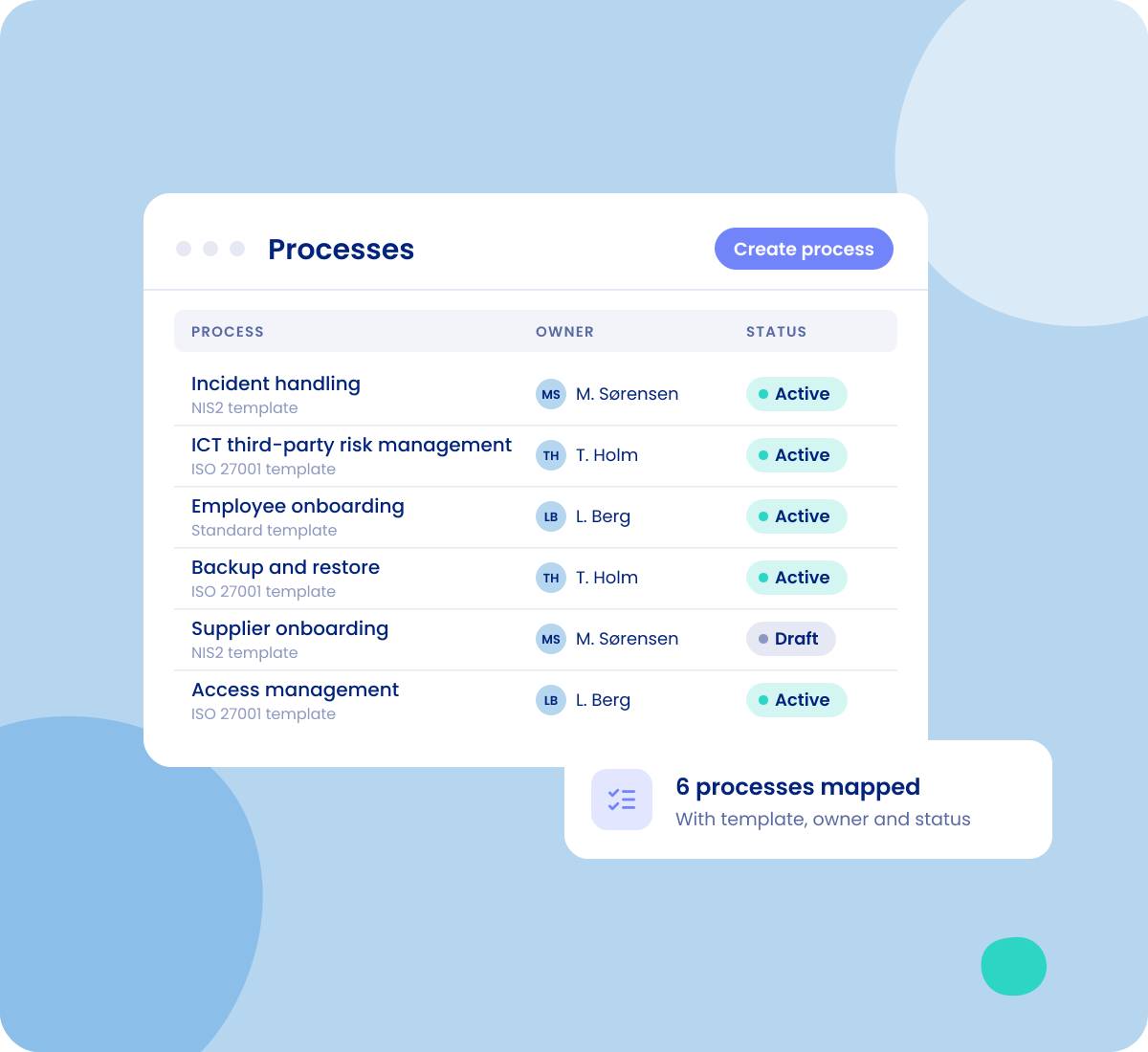
Document the processes your organisation runs, from NIS2 and DORA to employee onboarding, and the systems, suppliers and processing activities behind them. Everything is linked, so you can see what a process depends on and what is at risk when something fails.
- Processes beyond GDPR
- Assets, suppliers and processing activities linked
- Risk per process


























Processes
A home for the processes that are not about personal data
Processing activities are built for GDPR. Incident handling, ICT third-party risk or onboarding a new colleague are processes too, and they need documenting just as much. Processes gives them their own place, and when a process does involve personal data, you link the processing activities to it.
-
Processes for NIS2, DORA, ISO 27001 or your own way of working
-
Link the processing activities a process involves
-
Hide the menu item you do not use, if you only need one of the two

Templates
Every process follows the same structure
Every process starts from a template. The standard template is ready from day one, and you can build your own with your own fields, for example one for NIS2 and one for ISO 27001.
-
Choose which steps a process has, and drag them into the order you want
-
Decide which fields are required, also before the process can be created
-
Fields can be free text, dropdowns, checkboxes, dates, legal entities or calculated fields

Guided flow
From process to the systems behind it, step by step
A guided flow takes you through the process: the core information, who has access, the assets involved, the legal entities, the processing activities and the documentation.
-
The assets involved, with the suppliers linked to each one
-
The legal entities, with their subcontractors
-
Documents and tasks on the process itself

Assets
Know what you run, and who delivers it
Register your IT systems, devices and the tools you rely on, from Microsoft 365 to a sensor in the warehouse. Each asset holds the information an auditor and a risk assessment will ask for.
-
Start from a catalogue of ready-made assets
-
Asset type, supplier and sub-processors, support locations and retention period
-
Whether it is critical, uses AI or trains on your data
-
Certifications such as ISO 27001, ISAE 3402 and SOC 2, and security measures implemented or planned

Relationships
See what depends on what
Processes, assets, suppliers and processing activities are linked, so the same information is entered once and used everywhere.
-
Link assets into value chains, for example frontend, API and database
-
Processes, assets and legal entities in the relationship graph
-
Suppliers marked as data processors on an asset are added to the processing activities that use it

Risk
Risk where the work happens
When processes and assets are mapped, you can assess the risk where it actually sits.
-
Risk assessments on a process, with the risk level per risk area on its overview
-
Filter the list on critical assets and mark the ones that belong in your NIS2 risk assessment
-
Lists with filters, saved views and export, and access down to the individual field
Frameworks
The rules behind it
Every framework asks you to know your processes and systems.
-

NIS2
See NIS2 in .legalRisk management covers the systems and processes behind your services, including asset management and supply chain security.
-

ISO 27001
See ISO 27001 in .legalControl 5.9 asks for an inventory of information and other associated assets, with owners.
-

DORA
See DORA in .legalArticle 8: identify, classify and document ICT-supported business functions, information assets and ICT assets.

Demo
See your own processes in .legal
Bring one process you run today, and we will map it with you in the demo.