
Legal entities now have templates and custom fields, much like the ones you already use for contracts and assets. With the "Templates and Custom Fields" add-on, you can set up templates for the different types of legal entities you work with, add your own fields, and decide exactly which information needs to be captured, and when. We've also simplified the legal entities menu and updated the overview of your external legal entities, so it's quicker to find what you're looking for. Here's what's included.
All your external legal entities in one place
We've simplified the legal entities menu. Instead of separate sections for different types of third party, such as suppliers and customers, all external legal entities are now gathered in one list, with group companies in a section of their own. Everything outside your group companies is in one place, so you no longer need to jump between sections to find the entity you're looking for, and you can still use filters to narrow the list down by "Type".
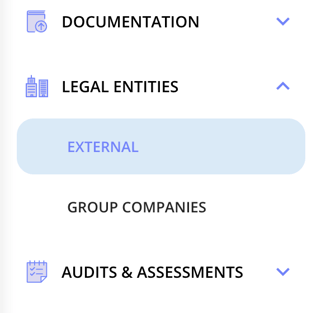
A more flexible overview, built your way
The overview of your external legal entities has been updated, and you can now shape it into exactly the list you need with the custom lists add-on. Use filters to narrow it down, and choose which columns to show through the display options, whether that's country, type, business area, owner, risk, classification or the latest audit. Once you've set up a list you're happy with, save it as a view so you can return to it whenever you need it. It works just like the lists you already know from other parts of .legal.
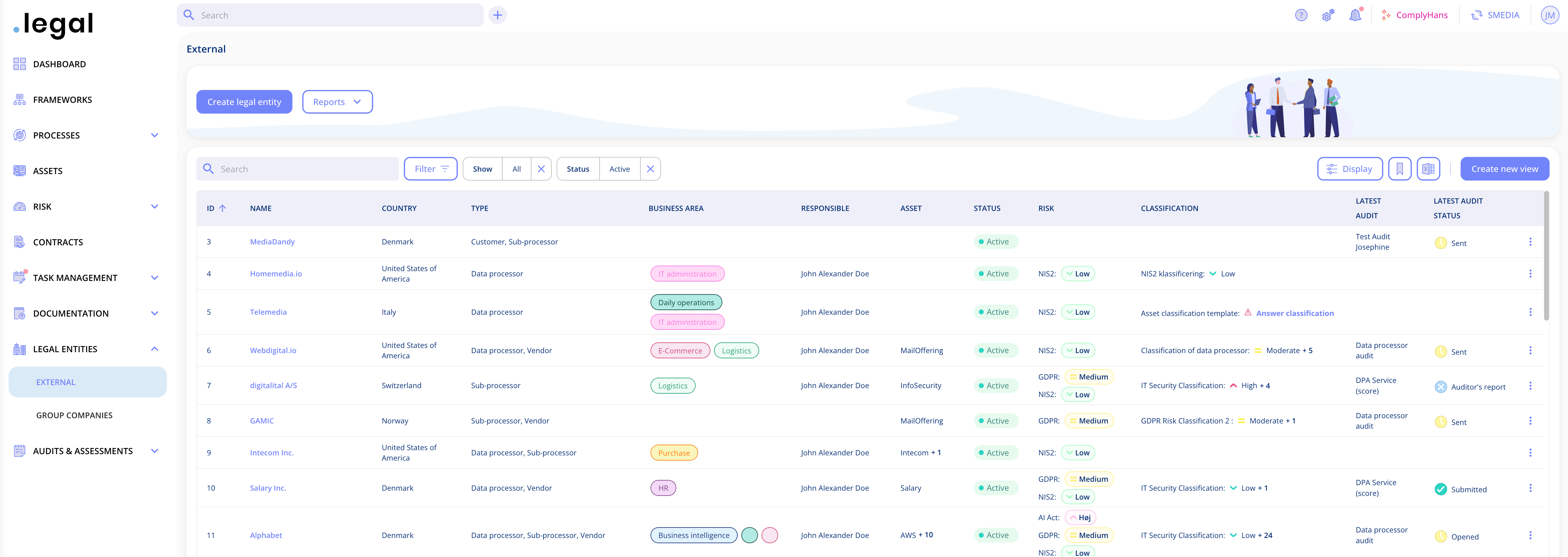
Create templates for your legal entities
You'll find a new section for legal entity templates under Settings, alongside the existing templates for contracts and assets. Create as many templates as you need, for example one for suppliers, one for customers and one for group companies, each with its own description. We have made a standard template which you can always use.
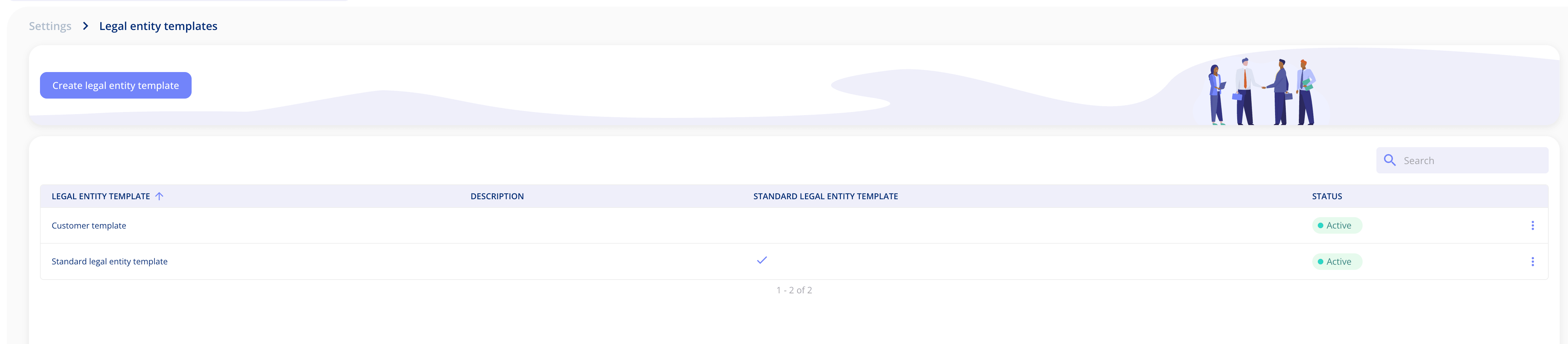
Build fields around your own data
Legal entities now have their own custom fields, set up in Settings in the same way as for contracts and assets. Choose from a wide range of field types, including single and multi-line text, single and multiple select dropdowns, dates, numbers, amounts and checkboxes. The standard fields remain available on their own tab, so you can see everything in one place. Once you've created a field, open the template you want to use it in, go to the relevant step and drag it into place.
Decide what's required, and when
Each template is laid out in the same four steps you know from the legal entity itself: the legal entity details, relationships, sub-suppliers and compliance. For every field in a template, you choose whether it's required. Some fields can also be made required at creation, so the information you depend on is filled in from the very start rather than added later. You can manage the steps in each template to fit the way your organisation works.
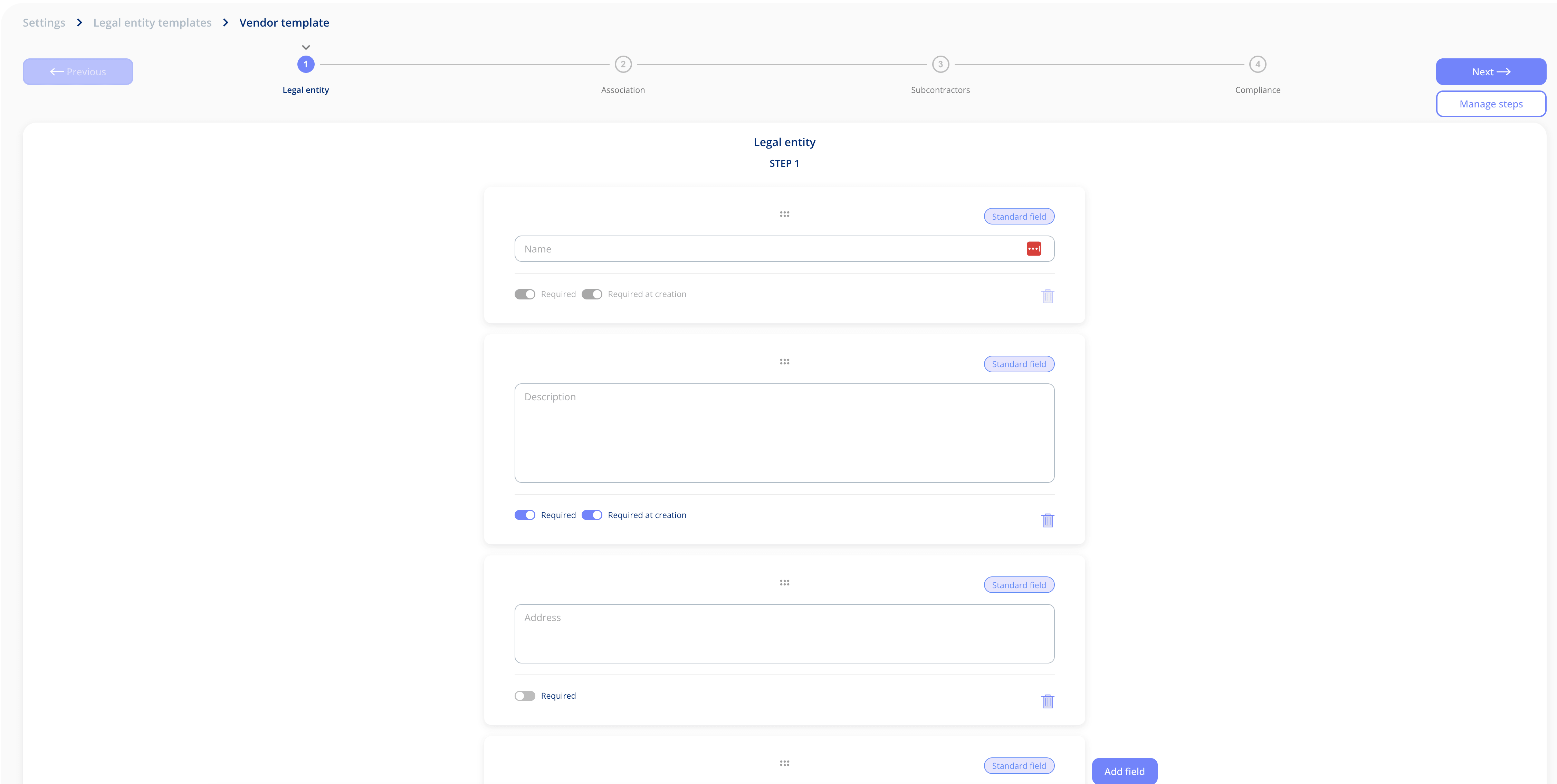
Unlike contract and asset templates, legal entity templates don't include an access step. Access to legal entities works as it does today, so anyone whose role allows them to manage legal entities can still see all of them.
Choose a template when creating a legal entity
When you create a new legal entity, you now select the relevant template alongside the name and country. The legal entity is then set up with the fields and requirements from that template, so the right information is captured consistently across your organisation.
.png?width=794&height=525&name=Create%20from%20template%20(1).png)
What this means for you
With templates and custom fields on legal entities, you can record the information that matters to your organisation in a structured and consistent way, across contracts, assets and legal entities alike. If you'd like a hand setting up your first templates, or want to know more about the "Templates and Custom Fields" or "Custom Lists" add-ons, get in touch, we'd love to help.
Got Feedback?
Your input helps us keep improving the platform. Please don't hesitate to reach out to our support team with your thoughts, questions, or suggestions. 🚀
.png?width=1793&height=1009&name=Featureimage_customerfeedback%20(1).png)
.png?width=1195&height=673&name=Organisational%20risk%20(2).png)




.jpeg?width=131&height=26&name=right_people_logo%20(1).jpeg)

.jpg?width=58&height=26&name=Praktiserende%20L%C3%A6gers%20Organisation%20(1).jpg)
.jpg?width=108&height=26&name=finans%20danmark%20(1).jpg)


.jpg?width=89&height=26&name=klasselotteri%20(1).jpg)

-1.png?width=68&height=52&name=bws_shipping_rgb%20-%20Kopi%20(2)-1.png)



.jpeg?width=135&height=26&name=AH%20industries%20(1).jpeg)






.jpg?width=493&height=57&name=KAUFMANN%20(1).jpg)