
Templates and custom fields have already changed how you work with contracts, assets and legal entities in .legal. Now they've come to the incident log too. Instead of one fixed setup for every incident, you can pick the template that fits what's happened, work through it step by step, and shape your own templates around the way your organisation handles incidents.
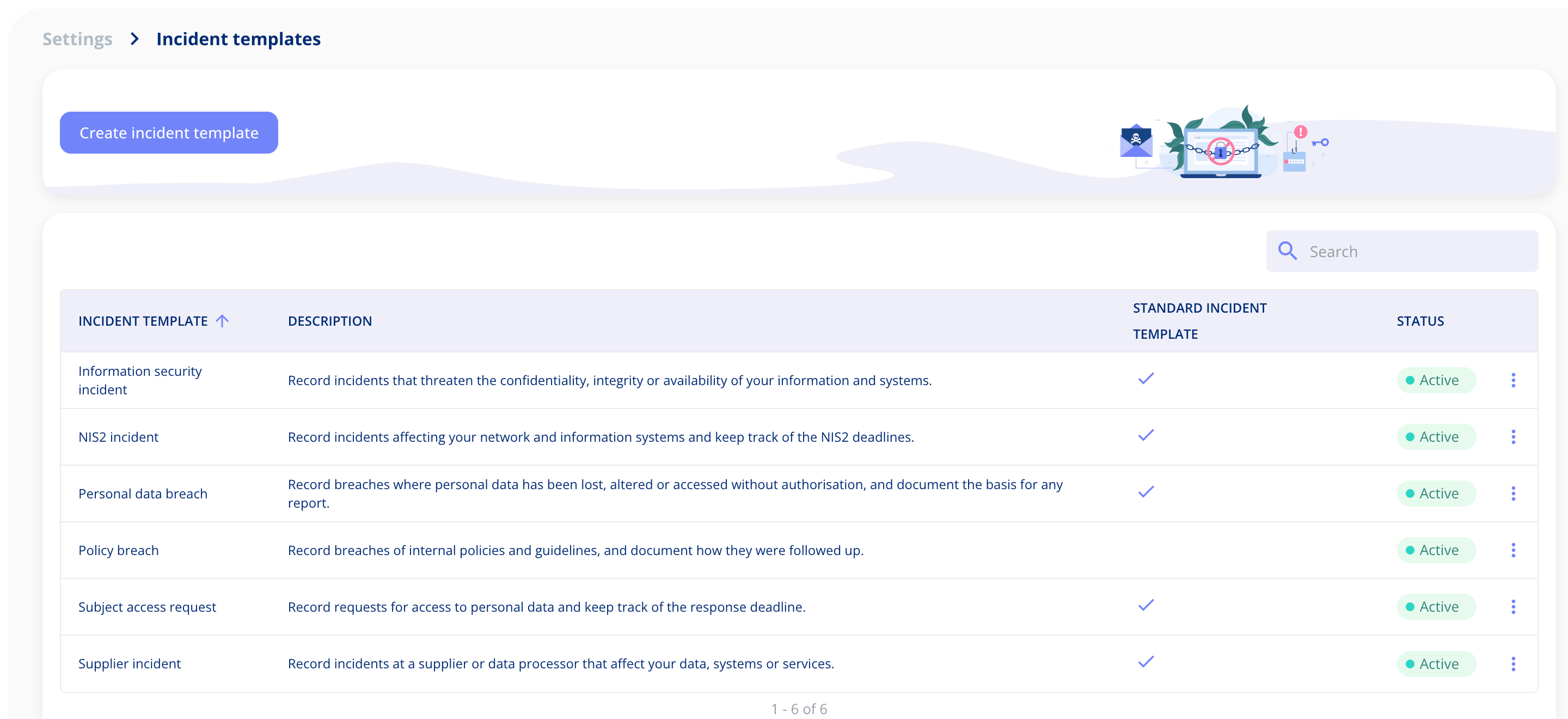
Five standard templates, ready to use
We've built five standard templates covering the incidents our customers handle most often:
- Personal data breach, for incidents involving personal data
- Subject access request, for handling requests from individuals about their data
- NIS2 incident, for incidents that fall under the NIS2 directive
- Information security incident, for broader security events
- Supplier incident, for incidents that start with one of your suppliers
When you create an incident, you start by choosing the template that matches it. Each template comes with the fields and steps relevant to that kind of incident, so you're only asked for what actually matters. Which templates you can use depends on your plan, and we've set that out further down.
A guided flow from the first report
Incidents are now created in a guided flow, the same way you already create contracts, assets and legal entities. Once you've chosen a template, you're taken through the incident one step at a time. For an information security incident, for example, that means the incident itself, access, timeline, services and impact, notification, relations and documentation.
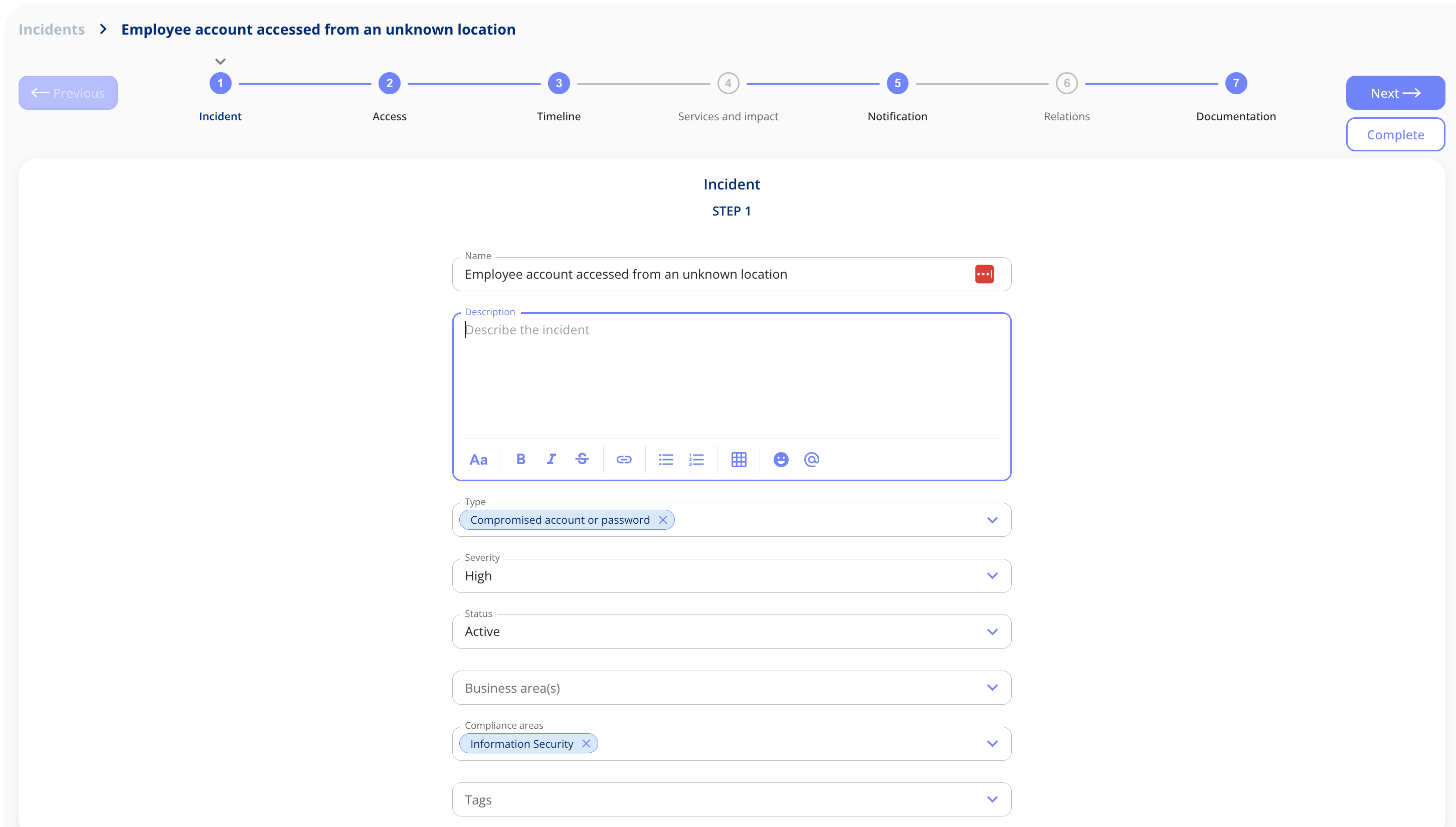
You can move back and forth between steps and complete the incident when you're ready. Templates can also include fields that must be filled in before the incident is created, so the essentials are always captured from the start.
How it works
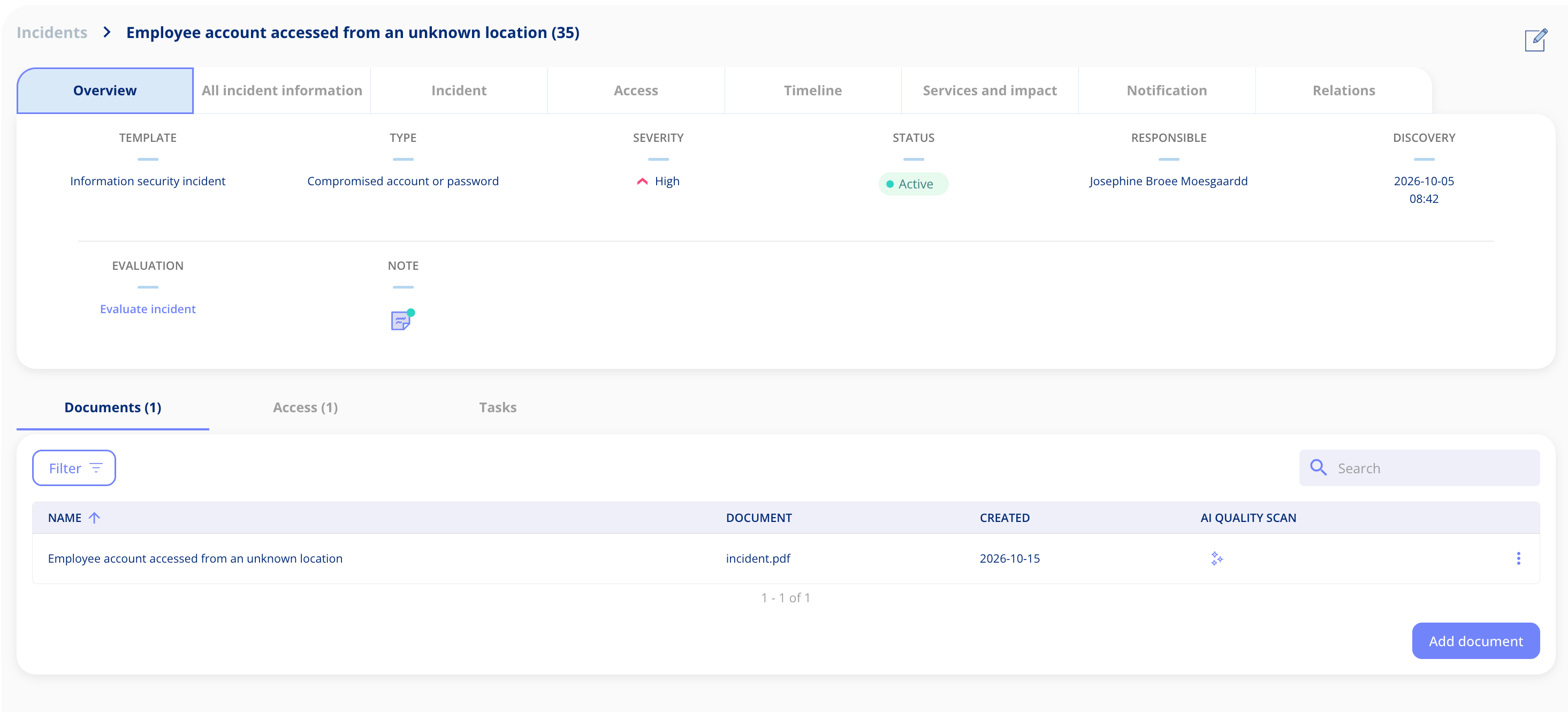
Every incident gets its own overview showing the template, type, severity, status, responsible person and discovery date at a glance. From there you can evaluate the incident, add notes, upload documents, manage access and create tasks.
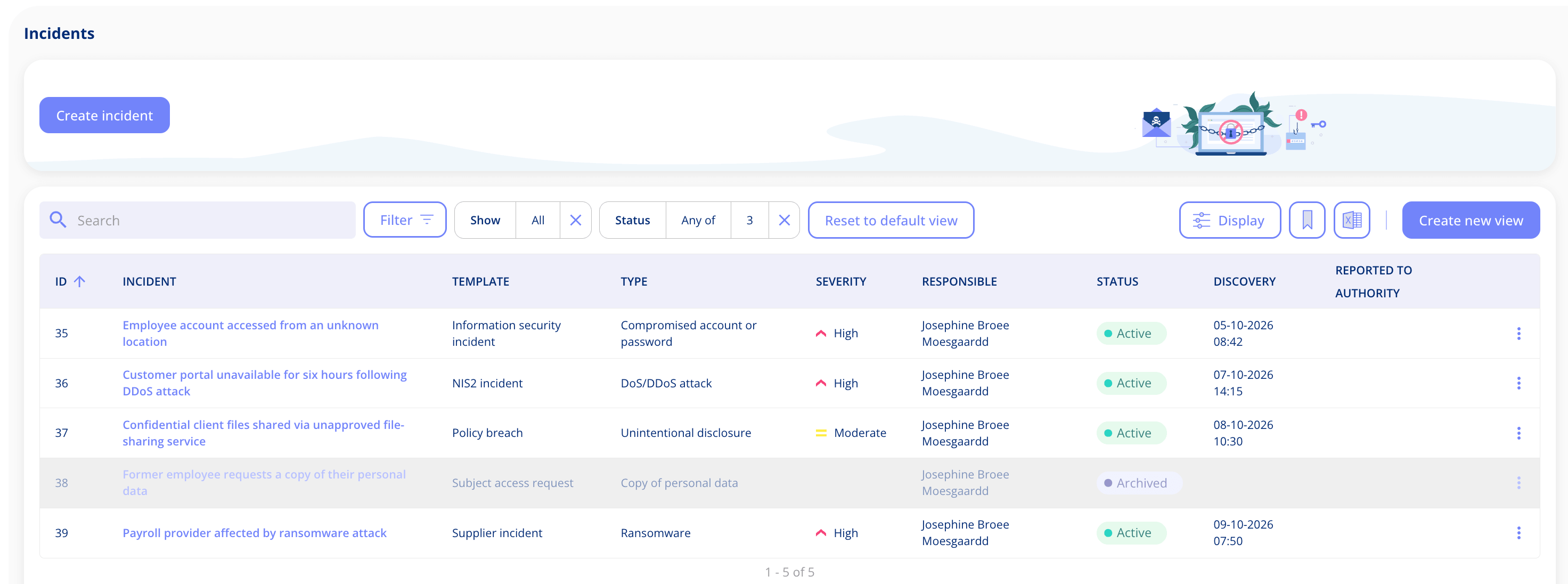
The incident list works like the rest of the platform. Filter it, choose which columns to display, save your own views and export everything to Excel.
Turn observations into incidents
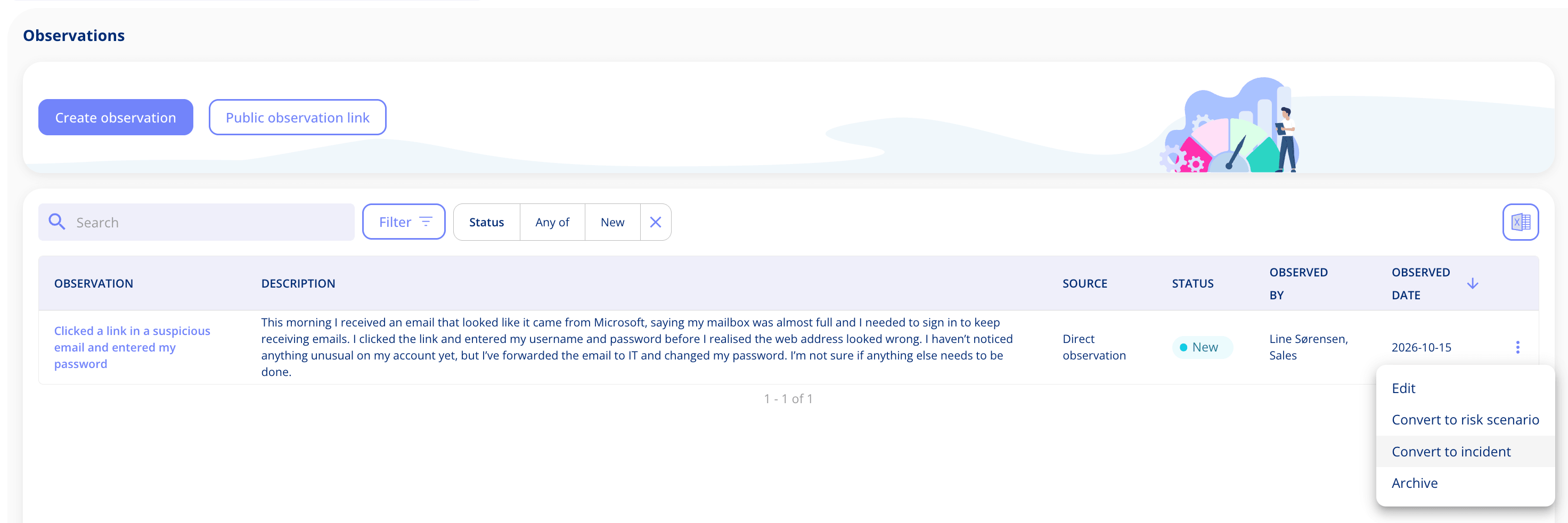
If someone reports an observation that turns out to be an incident, you can now convert it straight into one. Just pick the template you want to use. The same observation can still become a risk scenario too, so you can handle the incident now and follow up on the underlying risk later.
Build your own incident templates
Requires the Templates and custom fields add-on.
If the standard templates don't quite match how you work, you can create your own, just as you can for contracts, assets and legal entities. Start from scratch, or base a new template on one of the standard ones and adjust it from there.
Give the template a name, then add or remove fields to suit your process. You also decide which fields must be filled in before an incident can be created. Your own templates then appear alongside the standard ones when anyone creates a new incident.
Which templates come with your plan
The incident log is no longer tied to a single plan. Each standard template is linked to the plan it's most relevant to:
|
Template |
Included in |
|---|---|
|
Personal data breach |
Data Protection |
|
Subject access request |
Data Protection |
|
NIS2 incident |
Information & Cyber Security |
|
Information security incident |
Information & Cyber Security |
|
Supplier incident |
Vendor Management and Information & Cyber Security |
Templates that aren't part of your plan are shown with a padlock, so you can see what's available if you upgrade.
What this means for you
With templates in the incident log, you can record each incident in a way that fits what actually happened, whether it's a personal data breach, a NIS2 incident or a problem with a supplier. If you'd like a walkthrough of the new templates, or want to talk about building your own, get in touch. We'd love to help.
Got Feedback?
Your input helps us keep improving the platform. Please don't hesitate to reach out to our support team with your thoughts, questions, or suggestions. 🚀
.png?width=352&height=198&name=Feature%20image%20assets%20(1).png)
.png?width=352&height=198&name=Feature%20image_AI%20quality%20scan%20(1).png)
.png?width=352&height=198&name=Contract%20Management%20Updates%20(1).png)




.jpeg?width=131&height=26&name=right_people_logo%20(1).jpeg)

.jpg?width=58&height=26&name=Praktiserende%20L%C3%A6gers%20Organisation%20(1).jpg)
.jpg?width=108&height=26&name=finans%20danmark%20(1).jpg)


.jpg?width=89&height=26&name=klasselotteri%20(1).jpg)

-1.png?width=34&height=26&name=bws_shipping_rgb%20-%20Kopi%20(2)-1.png)



.jpeg?width=135&height=26&name=AH%20industries%20(1).jpeg)






.jpg?width=225&height=26&name=KAUFMANN%20(1).jpg)