Which contracts expire next year? Which notice periods are about to run out? And how much are you actually committed to? Until now, answering those questions meant filtering lists and adding up figures by hand. The new Contract dashboard puts the answers on one page.
Your contracts at a glance
You'll find it under Dashboard in the side menu, which now has its own sub-menu. Overview is the front-page dashboard you already know (with a fresh look to match), Contracts is the new one, and Frameworks is on its way.
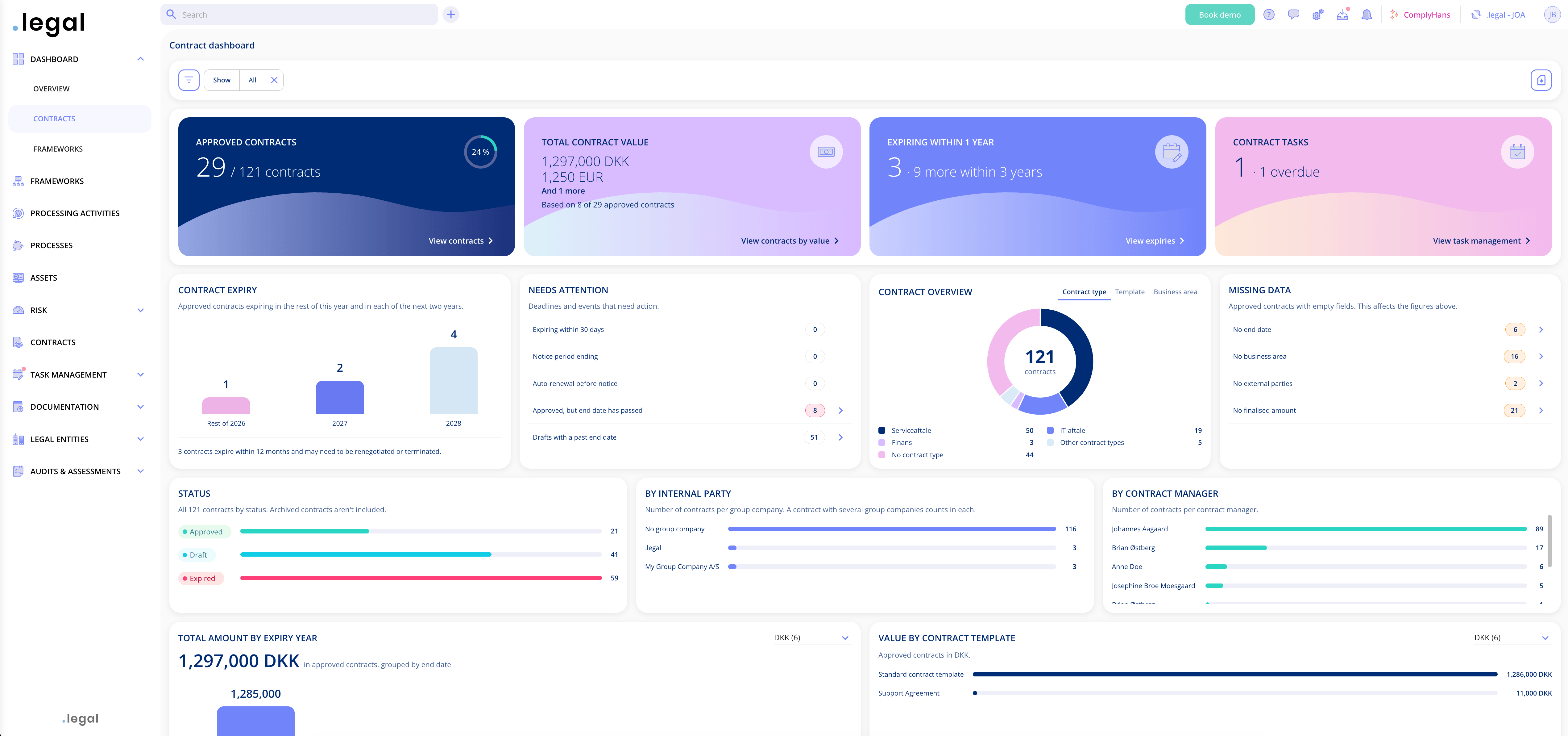
The key figures first

Four cards at the top give you the headline numbers:
- Approved contracts shows how many of your contracts are approved, both as a number and as a percentage. Archived contracts aren't counted.
- Total contract value adds up the value of your approved contracts and tells you how many of them it's based on.
- Expiring within 1 year shows what's coming up soon, plus how many more expire within three years.
- Contract tasks counts the tasks linked to your contracts that aren't completed and are either overdue or due within the next 30 days. In other words, what needs doing now.
Hover over a card to see exactly what it counts. Click it, and you'll land on the contract list or in task management with the right filter already applied.
Never miss a deadline
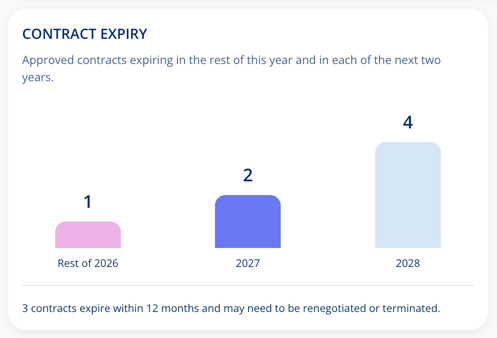
The Contract expiry chart shows how many approved contracts end in the rest of this year and in each of the next two years. It gives you time to plan renegotiations and terminations, rather than reacting at the last minute.
Next to it, Needs attention collects the deadlines and events that call for action:
- Contracts expiring within 30 days
- Notice periods that are about to end
- Contracts that will auto-renew before you've had a chance to give notice
- Approved contracts whose end date has already passed
- Drafts with an end date in the past
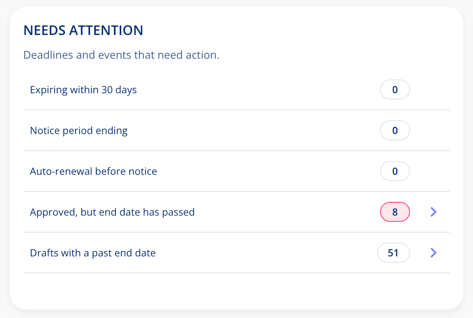
Each line links straight to a filtered list of the contracts in question, so you can deal with them there and then. Further down, Upcoming expiries lists the approved contracts that end within the next 90 days.
Know your portfolio, and trust your data
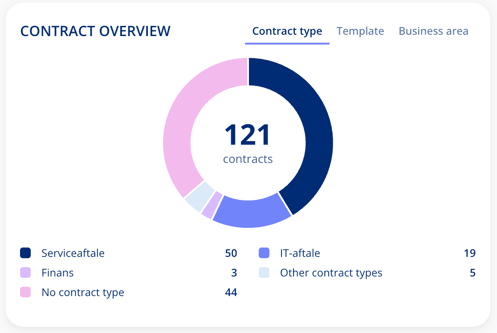
Contract overview breaks your contracts down by contract type, template or business area.
Three smaller widgets show them by status, by group company and by contract manager, so it's easy to see where the contracts sit and who's responsible for them.

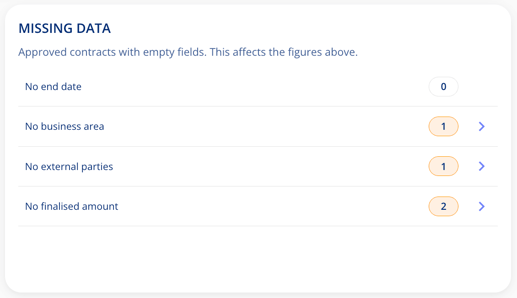
A dashboard is only as good as the data behind it, and that's why we've added Missing data. It shows approved contracts with no end date, no business area, no external parties or no finalised amount. Click a line to open the contracts and fill in the gaps, and the figures on the dashboard become more accurate as you go.
See what you're committed to
Two widgets give you the financial picture. Total amount by expiry year shows the value of your approved contracts grouped by the year they end, and Value by contract template shows how the value is spread across your templates. If your contracts are in more than one currency, the figures are kept apart rather than mixed together, and you can switch between currencies in the widgets.

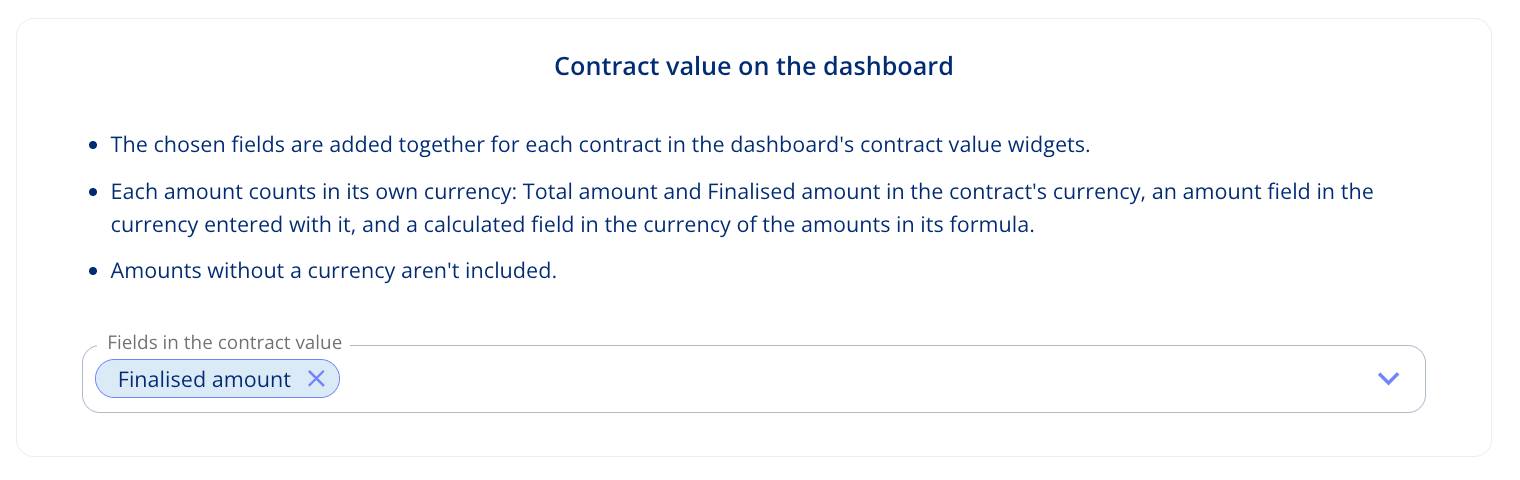
You decide what counts as a contract's value. In the contract settings, choose the field the dashboard should use, such as the finalised amount or the total amount, or combine several fields.
Your view, your report
At the bottom of the page, Contract tasks lists the tasks on your contracts, with the overdue ones clearly marked. It's the detailed version of the card at the top, and it takes you straight to task management.

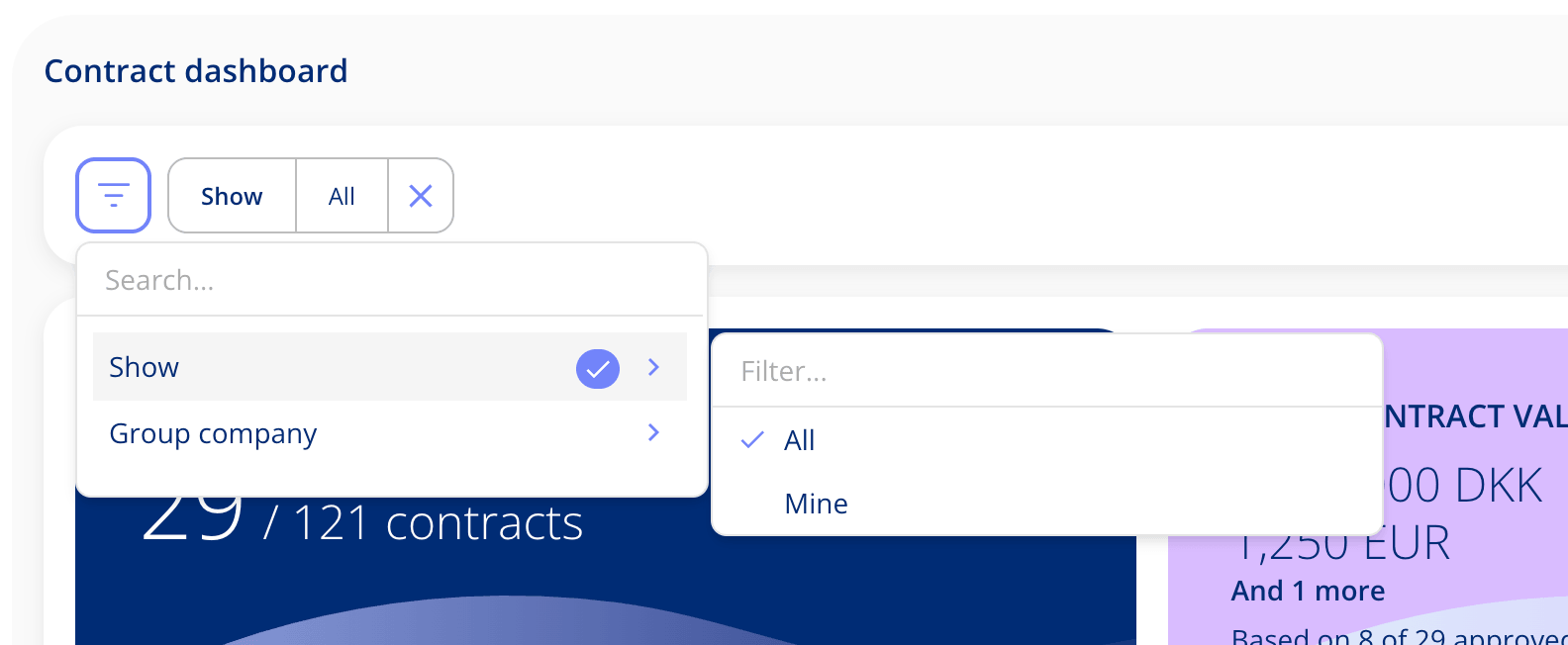
Use the Show filter to switch between all contracts and just your own, the same way it works elsewhere in the platform. You can also add a filter for group company. The dashboard only ever includes the contracts you have access to.
Need to brief management? Click the download icon to export the dashboard as a PDF report. You can add a note before you download, and it'll appear on the first page.
What's next
The Contract dashboard is the first of several. A Frameworks dashboard is already on its way, and more will follow.
The dashboard is ready for you now. Go to Dashboard in the side menu and choose Contracts. If you'd like to use a different field for contract value, you can change it in the contract settings.
Got Feedback?
Your input helps us keep improving the platform. Please don't hesitate to reach out to our support team with your thoughts, questions, or suggestions. 🚀