
We've added a set of new features to Contract Management, most of them built on requests from you. You've been able to create new contracts with AI for a while. Now you can use the same AI on contracts that are already in .legal, both to fill in and update their data and to turn one of their documents into a contract of its own. You can also update several contracts at once, and access can be controlled right down to individual fields. We've also made date filters a lot more flexible.
Let AI fill in and update your existing contracts
Requires the AI Features add-on. AI Features has an additional usage-based cost depending on the amount of content processed. Read more here.
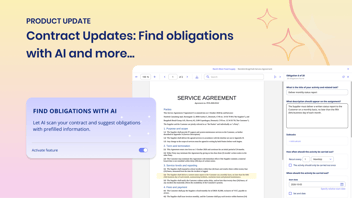
Creating contracts with AI has saved a lot of manual typing. Now the same AI works on contracts that are already in .legal, including the many that were registered by hand with only the basics filled in. With AI-assisted update, you can let AI go through the contract's main document and update the data on the contract in .legal, so you get the full picture without filling in every field yourself. AI compares the document with the contract's data in .legal, suggests values for empty fields and flags existing ones that may be out of date. You decide what goes in.
The document itself stays as it is. It's only the contract data in the system that gets updated.
How it works
Start an update from the contract overview, from the contract itself or directly from the document. Then choose the document you want AI to work from, typically the main contract document. AI uses one document per update, and it opens alongside the contract while AI works through it.
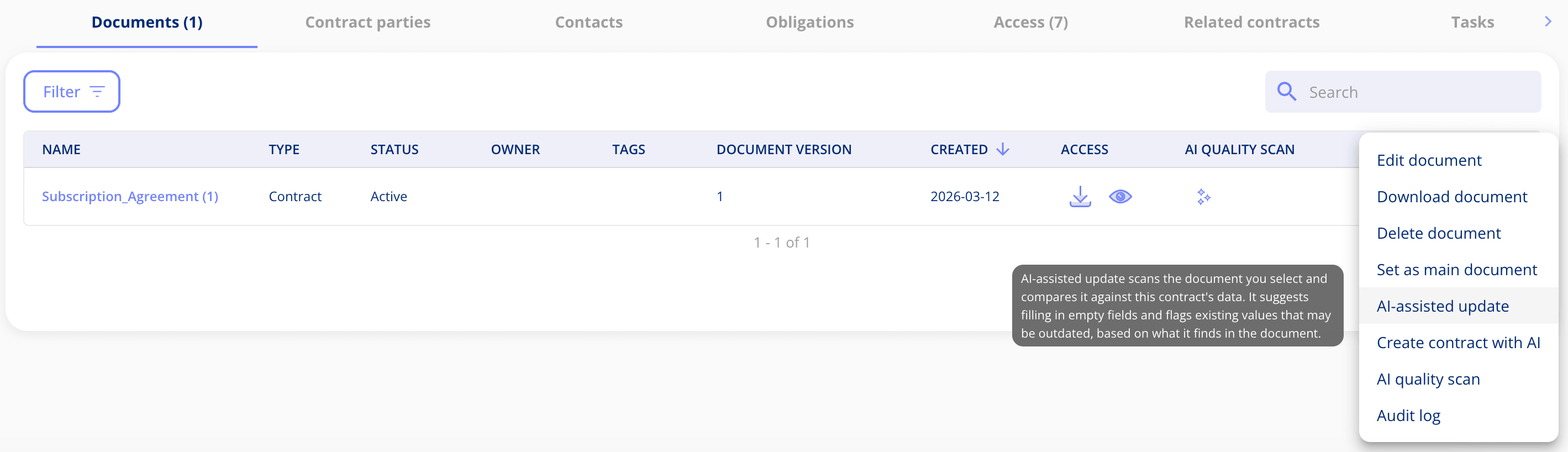
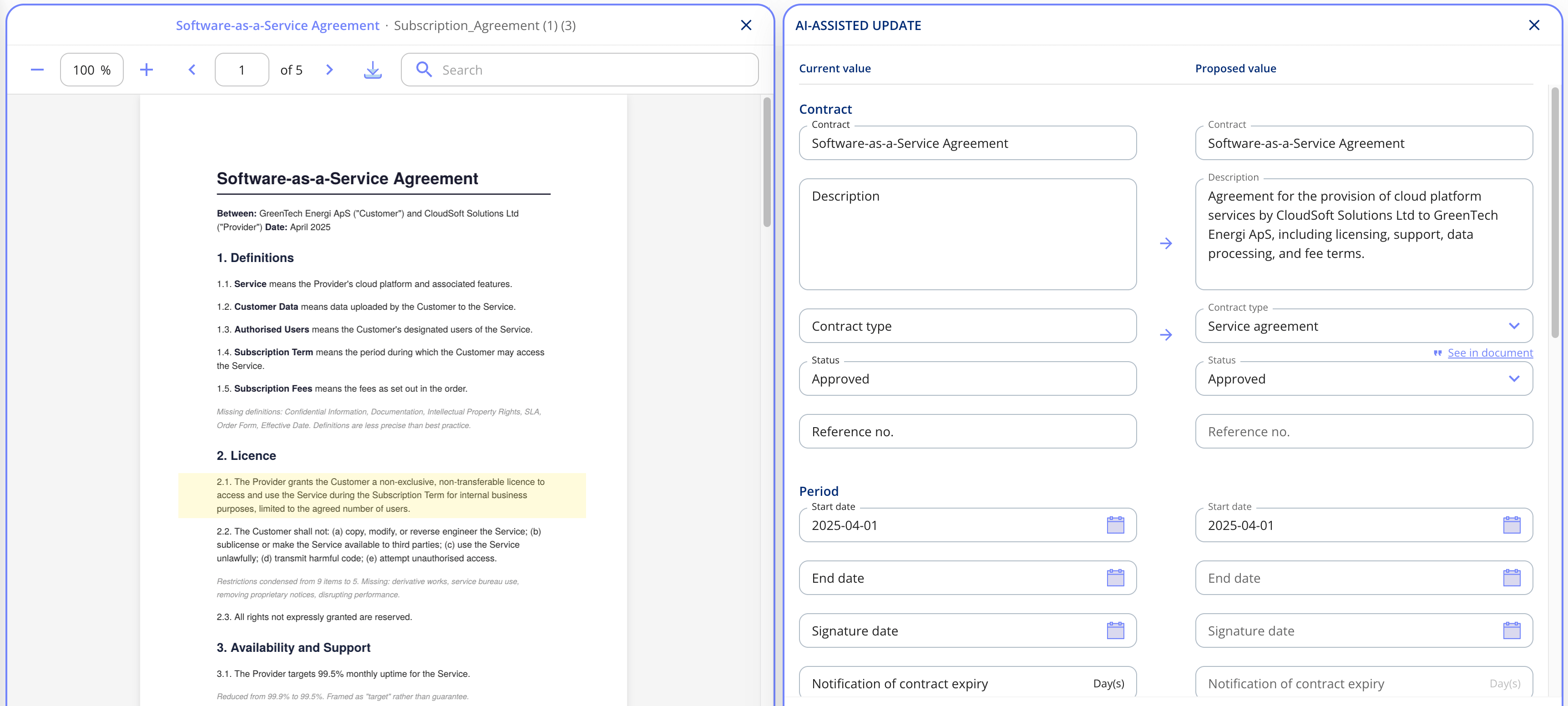
For each field, you'll see the current value next to the one AI proposes, and you accept or ignore the suggestions one by one. If AI can't find a field in the new document, the current value stays as it is. This applies to your custom fields too.
You stay in control of contract parties. If the document names new parties, you decide whether to add them to the contract and create them in .legal. You can also remove parties or add new ones manually.
Source references show where in the document AI found each piece of information, so it's easy to check before you save. Once you hit save, the contract is updated.
Turn a document into its own contract with AI
Requires the AI Features add-on. AI Features has an additional usage-based cost depending on the amount of content processed. Read more here.
Sometimes a document attached to one contract really deserves to be a contract of its own. You can now create a new contract straight from a document on an existing contract. Open the contract's documents, choose Create contract with AI on the document you want to use, and pick a template.
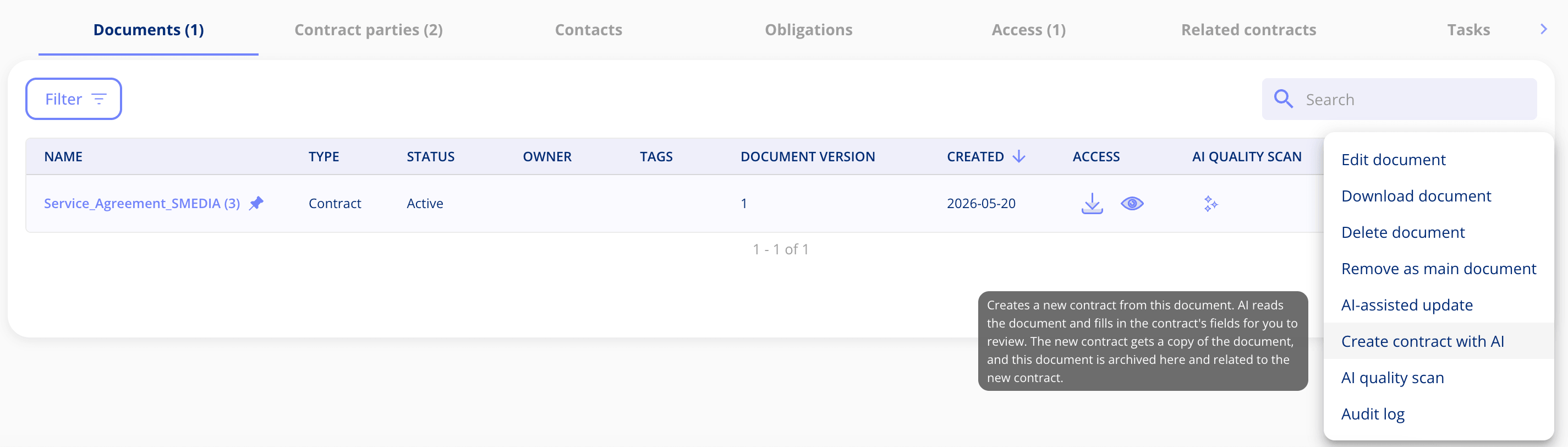
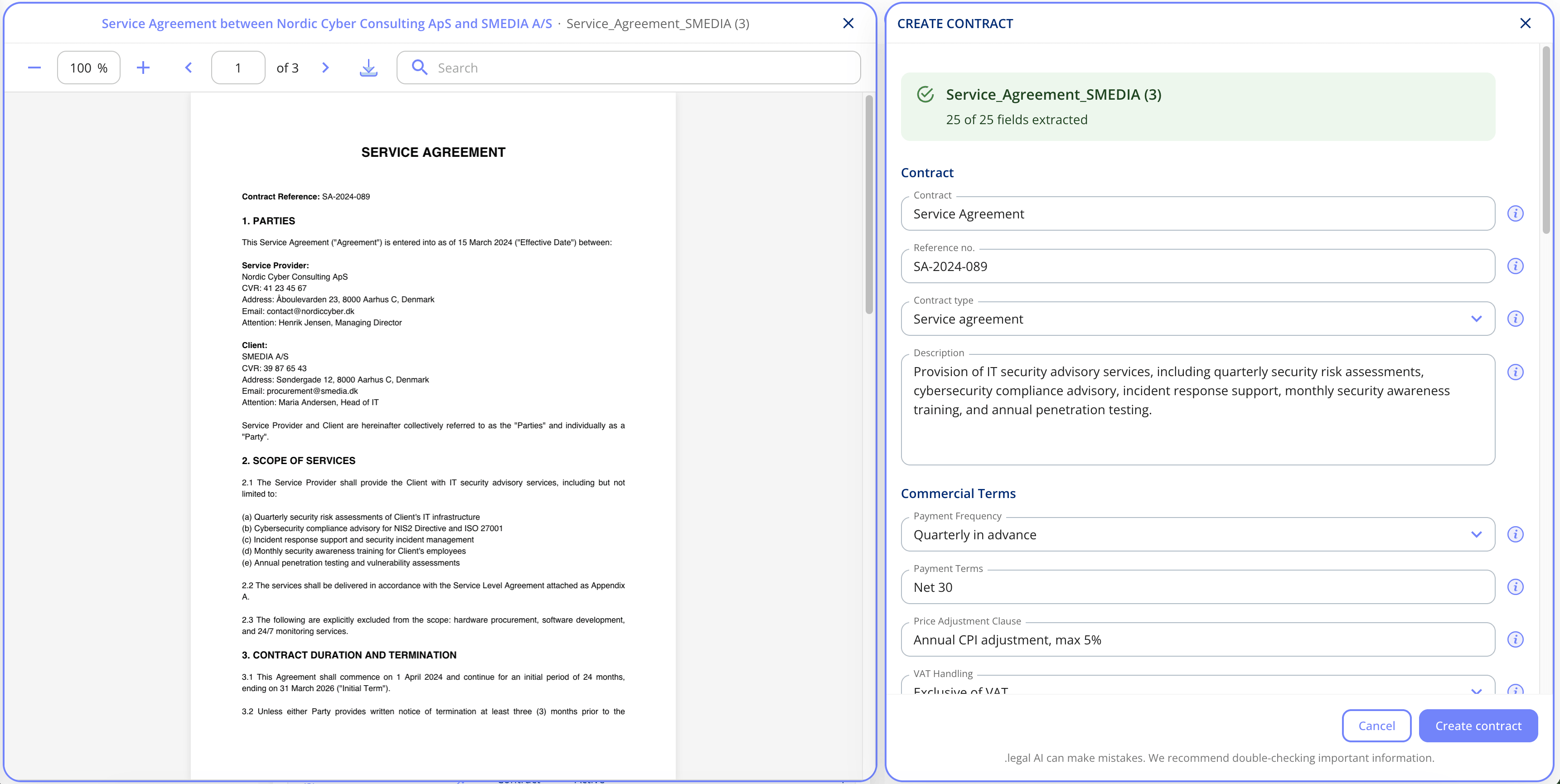
AI then reads the document and fills in the new contract, just as it does when you create a contract with AI from scratch. You can follow along in the document while it works, and review every suggestion before you save.
Source references now show where in the document AI found each suggestion. Click one, and the relevant passage is highlighted in the document.
Update several contracts at once
Need to approve a batch of contracts or hand them over to a new contract manager? You no longer have to open each one. In the contract overview, open the menu in the top right corner and choose Edit contracts. Pick the field you want to change, then tick the contracts in the list, up to 100 at a time. Set the new value and click update. Right now you can bulk update status and contract manager.
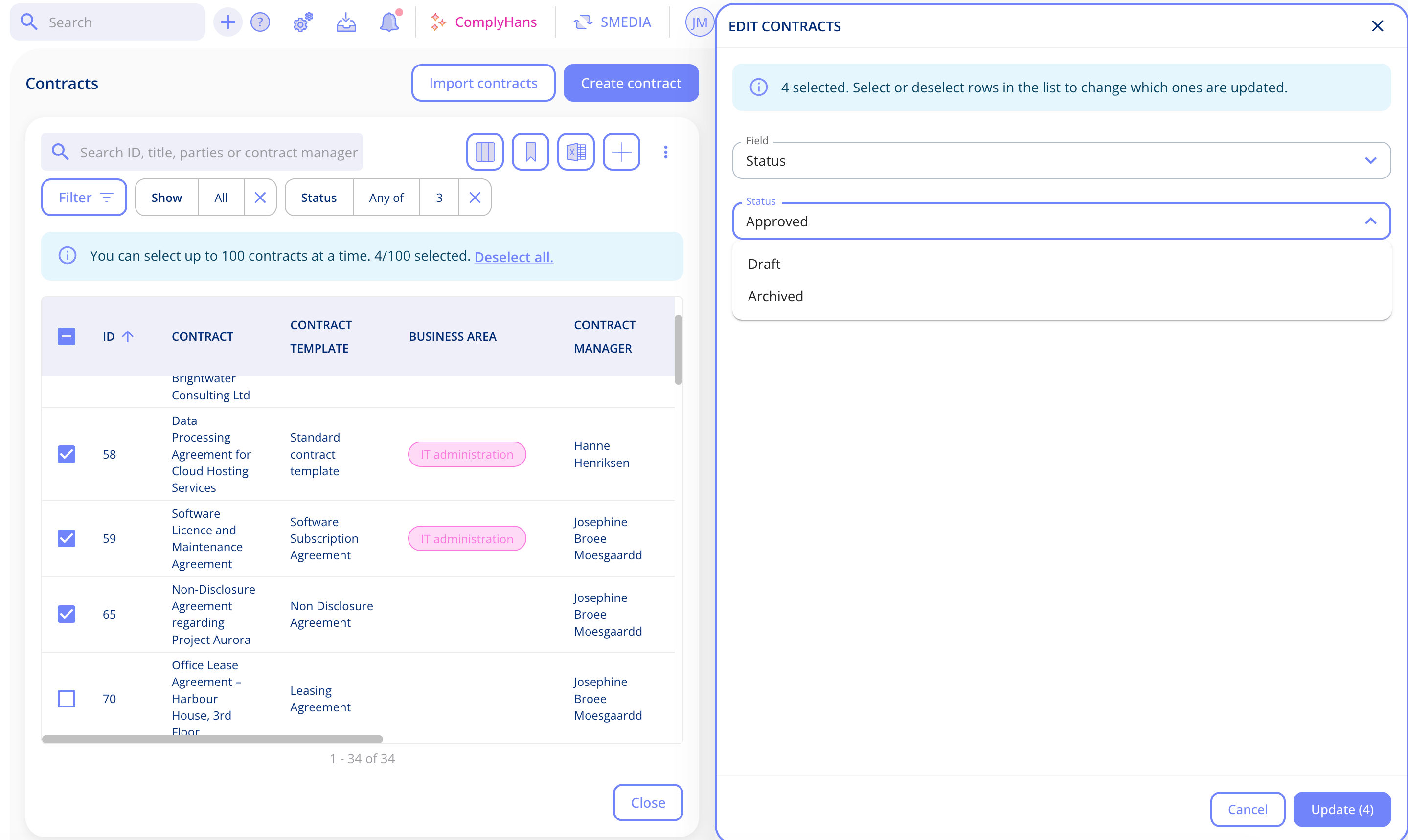
The same goes for obligations. On a contract, choose Edit obligations from the menu, select the obligations you want and change the responsible person or priority for all of them in one go.
Control access by template and field
Requires the Advanced user management add-on.
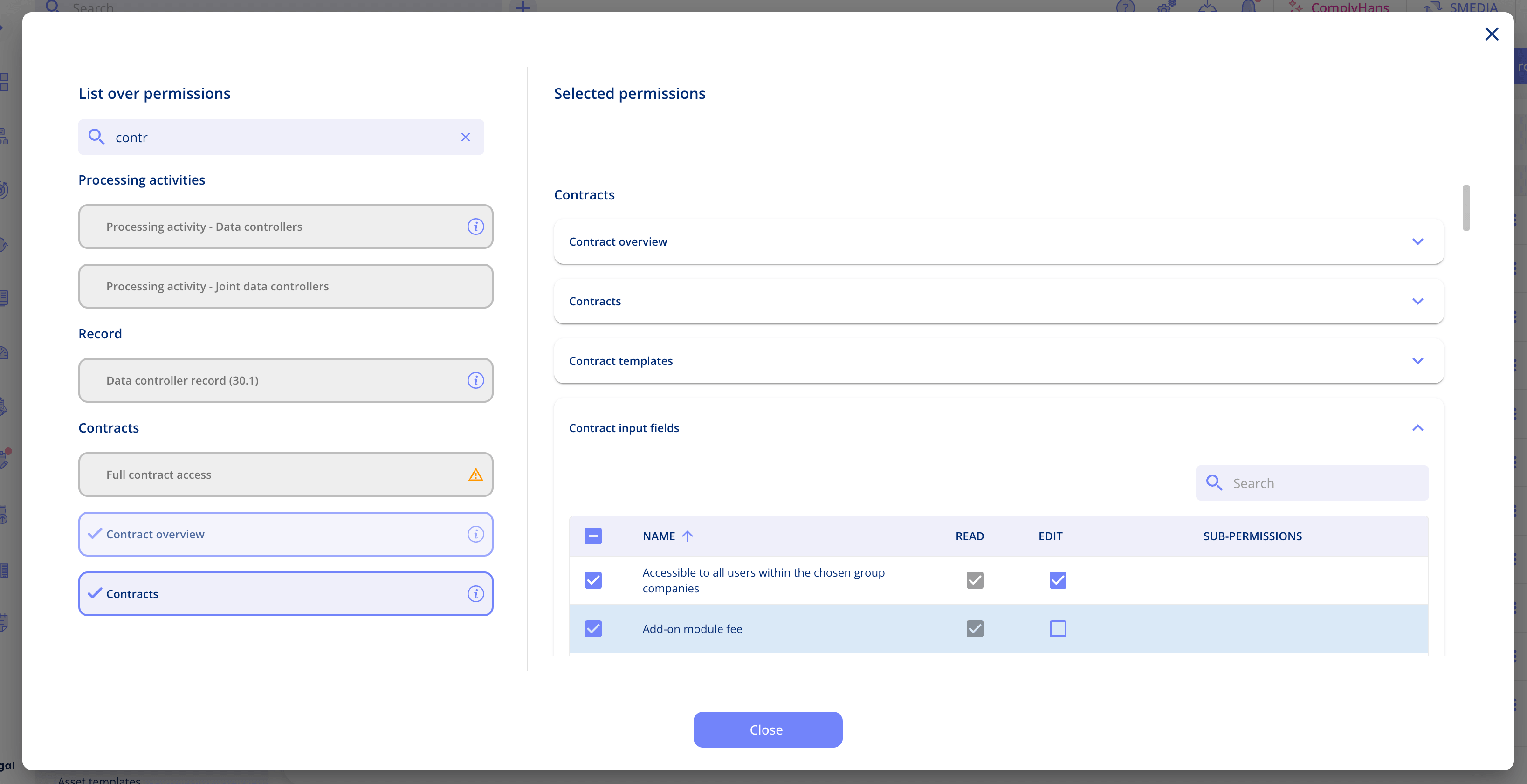
Contract permissions now work the same way as they already do for assets, so you can fine-tune what each role is allowed to do. It's all set up on the role, under the contract permissions. Tick the contract templates the role should be able to access and create contracts from. Then go through the contract input fields. Untick a field to hide it from the role completely, or keep it and decide whether the role can edit it or only read it.
That means a team can work with the contract types relevant to them, while sensitive fields stay locked for everyone except the people responsible for them.
More flexible date filters
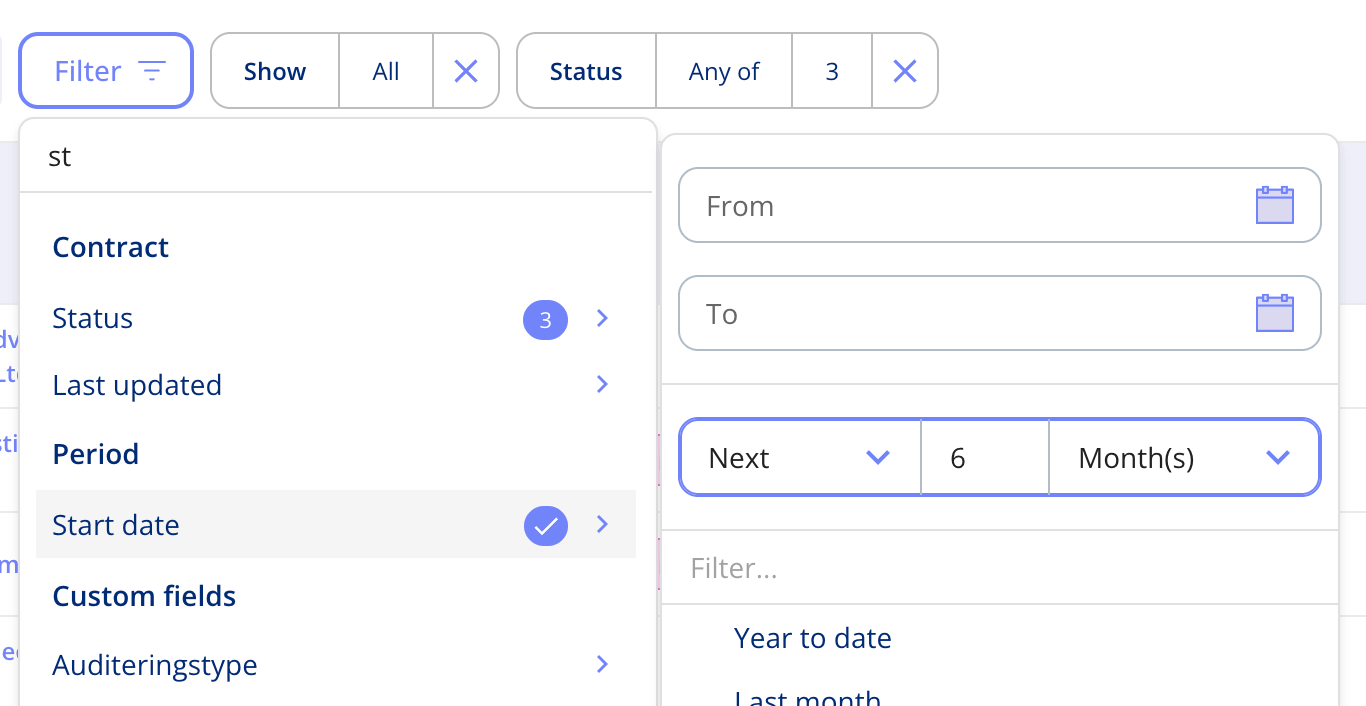
Date filters now go beyond a fixed from and to date. Pick a ready-made period such as year to date, this quarter, next month or the next 6 months, or set your own by choosing a direction, a number and a unit. Want to see every contract created in the last 12 days? Set it once and the list updates straight away. You can also filter for records with no date at all. Relative date filtering works across the platform, wherever you filter on a date.
Got Feedback?
Your input helps us keep improving the platform. Please don't hesitate to reach out to our support team with your thoughts, questions, or suggestions. 🚀
.png?width=352&height=198&name=Features%20image%20AI%20Administration%20(1).png)
.png?width=352&height=198&name=Feature%20image%20AI%20chat%20(1).png)




.jpeg?width=131&height=26&name=right_people_logo%20(1).jpeg)

.jpg?width=58&height=26&name=Praktiserende%20L%C3%A6gers%20Organisation%20(1).jpg)
.jpg?width=108&height=26&name=finans%20danmark%20(1).jpg)


.jpg?width=89&height=26&name=klasselotteri%20(1).jpg)

-1.png?width=34&height=26&name=bws_shipping_rgb%20-%20Kopi%20(2)-1.png)



.jpeg?width=135&height=26&name=AH%20industries%20(1).jpeg)






.jpg?width=225&height=26&name=KAUFMANN%20(1).jpg)




