
Our latest update introduces several improvements to help you manage responsibilities, roles, and contract data more efficiently. We've made it easier to reassign users, organise contract information, and perform bulk actions when managing obligations.
Review Users Responsibility Across Entities and Transfer Responsibility from One User to Another
Keeping track of where a user is assigned across the platform can be difficult, particularly when you need to reassign or remove a user. To make this easier, we've added a new table to each user profile that shows every area where the user is listed as responsible, along with a count of how many times they appear in each.
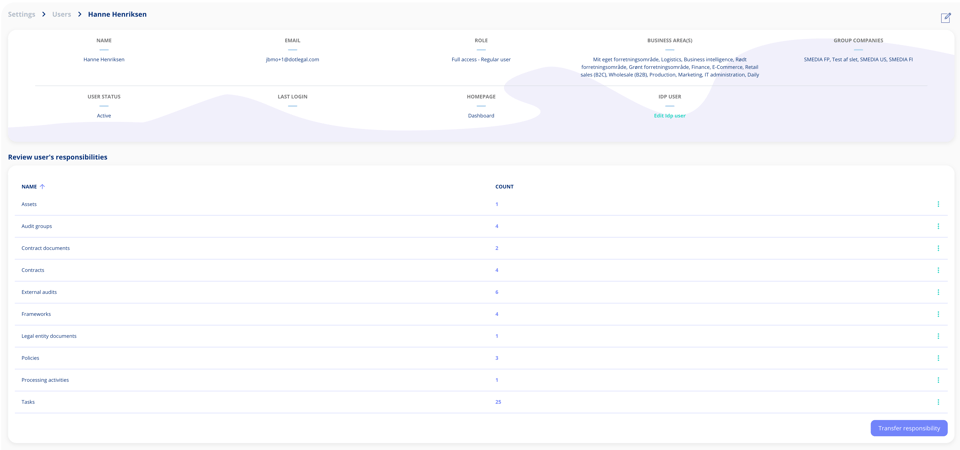
Click any row to see the details, including the specific contracts, obligations, or activities they're tied to and the role they hold in each case.
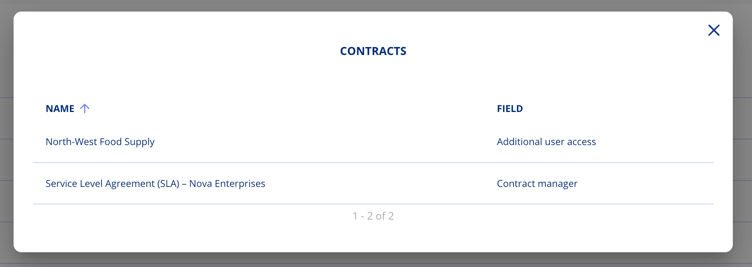
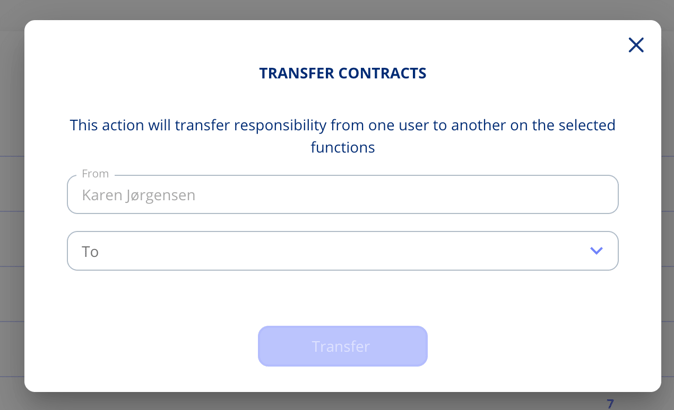
If you're on a paid plan or have advanced user management, you'll also have access to the transfer responsibility feature. This lets you reassign responsibilities either all at once to another user, or one entity at a time.
Deactivate Standard User Roles
If your organisation prefers to work with custom user roles, the built-in standard roles can start to clutter the list. You can now deactivate any of the standard roles that don't fit your setup, so your team only sees what's relevant to them.
To deactivate a role, open the overflow menu next to the role you want to remove from view and select "Deactivate". The role won't be deleted, just hidden from the active list.
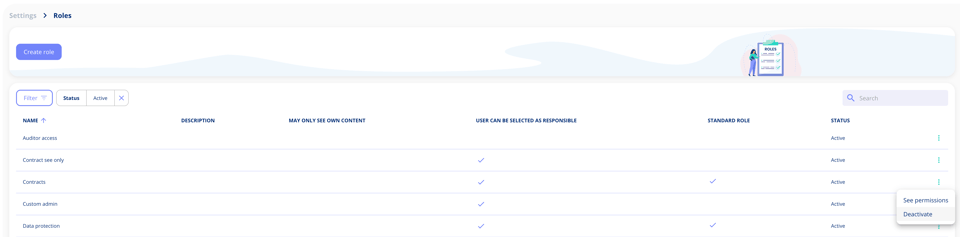
By default, the roles list only shows active roles. If you ever need to find a deactivated role, whether to review it or reactivate it, just use the filters to bring it back into view.
Bulk Delete Obligations
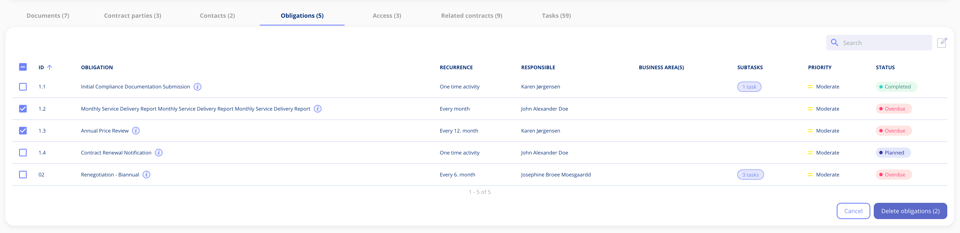
If you need to remove multiple obligations from a contract at once, you can now do that in just a few clicks. A new edit option lets you enter a selection mode, where checkboxes appear next to each obligation. You can select individual obligations or choose all of them at once, then delete them with a single action.
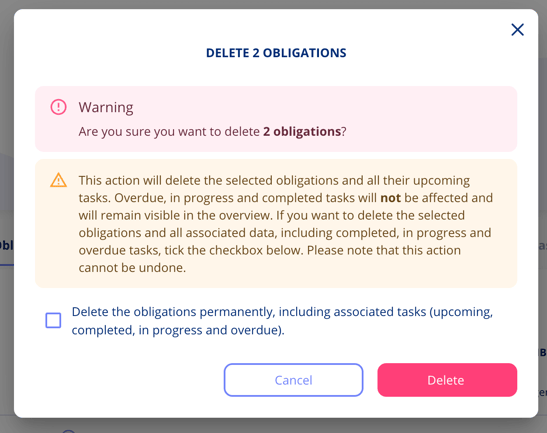
Before anything is deleted, you'll see a summary of what's about to be removed. At that point, you have two options. You can delete the selected obligations permanently, including all associated tasks regardless of their status, or you can delete the obligations along with only their upcoming tasks, leaving completed and in-progress tasks untouched.
Step-Based Tabs on Contracts
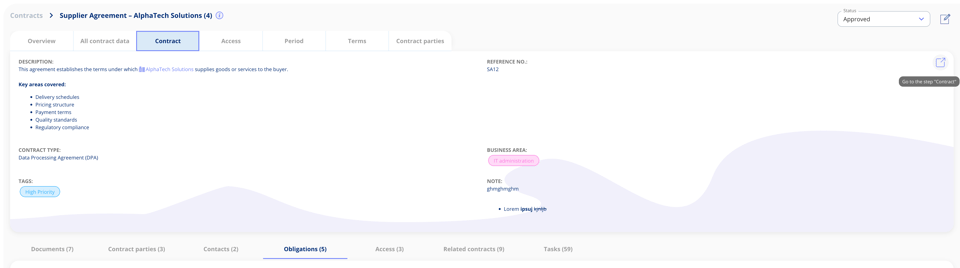
Navigating a contract just got a lot easier. Instead of scrolling through everything at once in the "All contract data" tab, each step now has its own tab at the top of the contract, so your content is organised exactly where you'd expect it to be.
Jump straight to the step you need and see exactly what's there, without digging through unrelated content. And if you need to make changes, each tab includes a "Go to the step" button that takes you directly into edit mode.
Got Feedback?
We'd love to hear from you! Your input helps us continuously improve the platform. Please don't hesitate to reach out to our support team with your thoughts, questions, or suggestions. 🚀
.png?width=352&height=198&name=Feature%20image%20contract%20renewal%20(1).png)




.jpeg?width=131&height=26&name=right_people_logo%20(1).jpeg)

.jpg?width=58&height=26&name=Praktiserende%20L%C3%A6gers%20Organisation%20(1).jpg)
.jpg?width=108&height=26&name=finans%20danmark%20(1).jpg)


.jpg?width=89&height=26&name=klasselotteri%20(1).jpg)

-1.png?width=34&height=26&name=bws_shipping_rgb%20-%20Kopi%20(2)-1.png)



.jpeg?width=135&height=26&name=AH%20industries%20(1).jpeg)






.jpg?width=225&height=26&name=KAUFMANN%20(1).jpg)