
Happy New Year! We're starting 2026 strong with a feature-packed release that improves how you interact with documents. Enhanced preview functionality, comprehensive audit logs, and improved user management are just some of the highlights designed to streamline your workflows and boost productivity.
Document Preview
View Documents Without Downloading
Documents can now be previewed directly within the platform, eliminating the need to download files to your device. Simply click on any document to open it in a full-screen preview window. Supported formats include PDFs, Word documents, and images. This functionality is available throughout the entire platform wherever documents appear – on contracts, tasks, legal entities, processing activities, policies and more.
Navigate and Search within Preview
When viewing documents, use the left and right arrow keys to cycle through multiple documents without closing the preview. For PDFs, you can search for specific text within the document – all matches are highlighted, and you can navigate between them to quickly find the information you need.
Search Across All Documents
The platform's global document search now allows you to open documents directly in preview mode. Click on any document in the search results to view it immediately. When you click on a specific page number in the search results, the preview opens directly on that page with your search term highlighted, making it faster to find exactly what you're looking for.
Audit Logs: Legal Entities, Documents and Contracts
Complete Change History
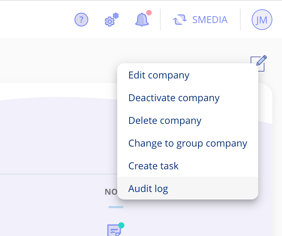
Detailed audit logs, allowing you to view a comprehensive history of all changes, are now available for contracts, documents, and legal entities. Access the audit log through the edit icon in the top right corner of the legal entity or contract. The document audit log can be accessed through the overflow menu (three dots) on the document tab.
Track What Changed and When
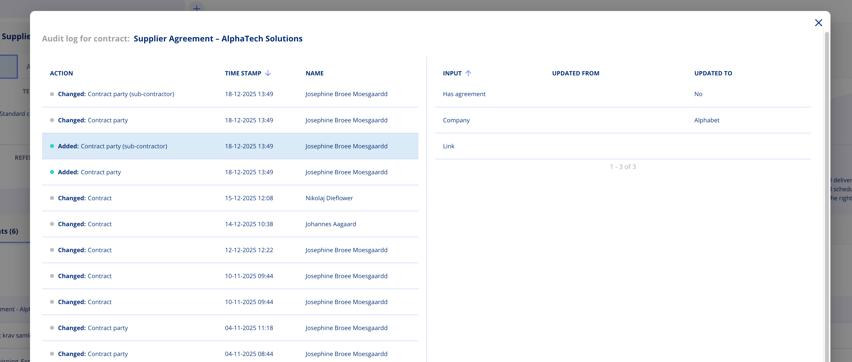
Each entry in the audit log shows the specific change that occurred, the date and time it happened, and which user made the modification. For example, you can see when contract parties were added or removed, when document versions were uploaded, or when key fields were updated. Click on any log entry to view the detailed changes, including both the old and new values for modified fields.
Deactivated Users
The user overview has been redesigned with a new status column that clearly shows whether each user is active or deactivated. The filter options have been consolidated into a single, more intuitive filter panel where you can filter by status, business areas, and roles.

When a user is deactivated, they are automatically removed from contract access lists and cannot be selected for any roles or assignments. If a deactivated user is currently assigned as a contract manager or in other key positions, the platform displays a warning so you can reassign those responsibilities appropriately.
All Contracts View
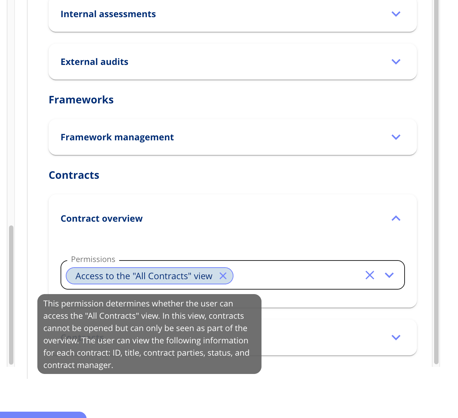
A new "Access to all contracts view" permission allows designated users to view every contract in the system, regardless of their usual access restrictions. This read-only view displays essential information without allowing any modifications – perfect for compliance officers, auditors, or management.
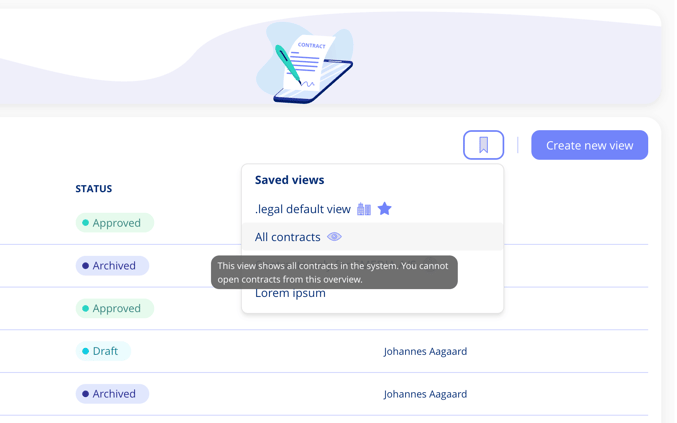
Users with this permission will see an additional "All contracts" view option, marked with an eye icon, in their saved views. This special view displays contracts in a simplified, read-only format showing only essential information: contract ID, name, parties, status, and contract manager. Users cannot click into contract details, edit information, or perform any actions – it's purely for oversight purposes.
Create Contacts Directly on Contracts
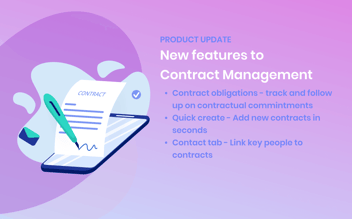
You can now create new contacts directly from the contacts tab, without interrupting your workflow to navigate to legal entities first.
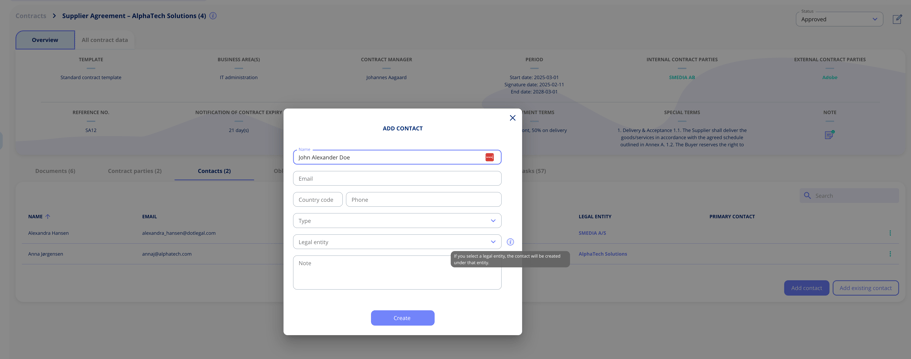
When creating a contact on a contract, you have the option to link it to a legal entity. If you do, the contact is created on that legal entity and simultaneously associated with your contract. This means the contact becomes available for reuse across other contracts and throughout the platform, maintaining a single source of truth.
Relate Contracts - Expanded Dialogue
The dialogue for adding related contracts has been significantly enhanced. Rather than just displaying contract names in a dropdown, you can now see contract names alongside their parties and search across the contracts.
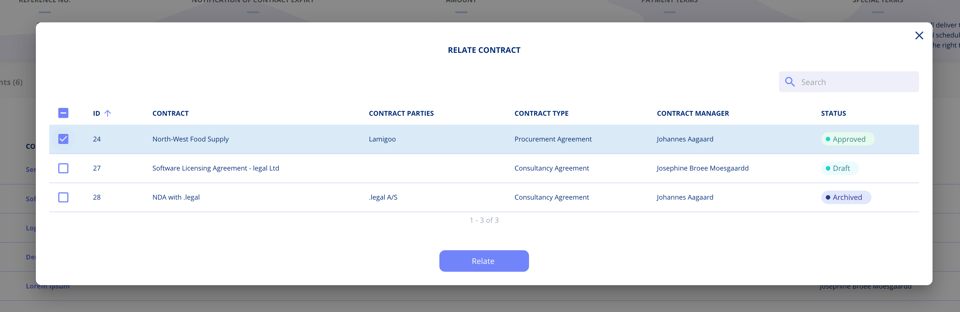
You can now use checkboxes to select multiple contracts simultaneously before adding them as related contracts. Once selected, all chosen contracts are added to the related contracts list in one action, saving time when establishing multiple contract relationships.
Got Feedback?
We'd love to hear from you! Your input helps us continuously improve the platform. Please don't hesitate to reach out to our support team with your thoughts, questions, or suggestions. 🚀




.jpeg?width=131&height=26&name=right_people_logo%20(1).jpeg)

.jpg?width=58&height=26&name=Praktiserende%20L%C3%A6gers%20Organisation%20(1).jpg)
.jpg?width=108&height=26&name=finans%20danmark%20(1).jpg)


.jpg?width=89&height=26&name=klasselotteri%20(1).jpg)

-1.png?width=34&height=26&name=bws_shipping_rgb%20-%20Kopi%20(2)-1.png)



.jpeg?width=135&height=26&name=AH%20industries%20(1).jpeg)






.jpg?width=225&height=26&name=KAUFMANN%20(1).jpg)