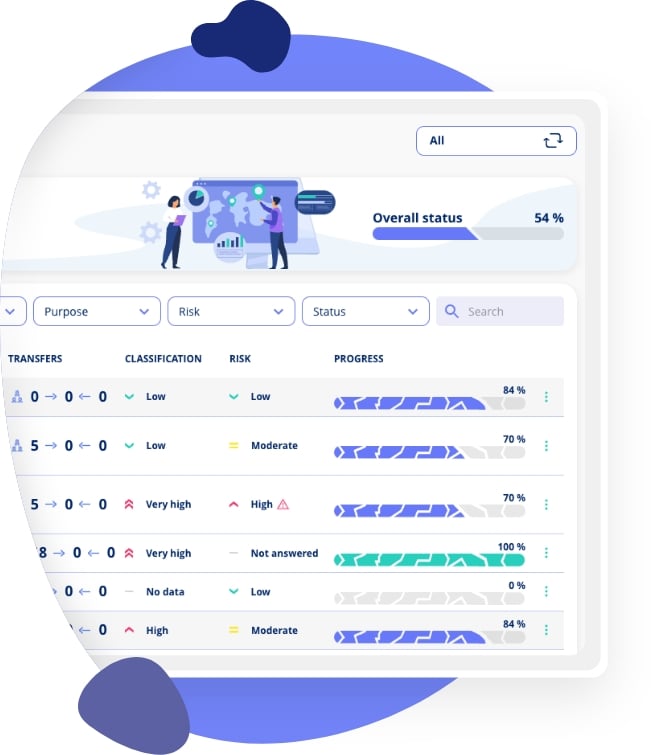
In this video, we'll show you how to use the .legal framework module to handle controls across different compliance frameworks and IT security standards within your organisation. You'll learn how to implement frameworks like GDPR, NIS2, AI Act, ISO 27001, and CIS18, whilst tracking your progress and identifying common tasks that advance multiple frameworks simultaneously.
The demo walks you through selecting framework templates, planning controls, and understanding how existing work in one framework can automatically create progress in others. You'll see how the system displays coverage gaps, showing exactly which additional controls you need to complete to achieve full framework compliance. We'll demonstrate how to assign framework owners and control coordinators, set deadlines for different controls, and customise the pre-mapped tasks to match your organisation's specific processes.
By the end of the video, you'll understand how to populate controls with documentation tasks, collaborate with colleagues on control completion, and leverage the annual wheel to plan recurring compliance activities. You'll also discover how to customise task templates with your own descriptions and subtasks, link tasks to multiple frameworks, and track overall framework progress as your team completes documentation. This integrated approach helps you avoid duplicate work across frameworks, maintain clear oversight of compliance status, and build a comprehensive compliance programme tailored to your organisation's needs.
Frequently Asked Questions
What is the purpose of the .legal framework module?
The framework module gives you a structured way to implement and manage compliance frameworks and security standards in your organisation. It helps you track which controls you've addressed, what documentation exists, and where gaps remain. The real power comes from being able to work across multiple frameworks at once, as many controls overlap between different standards. This means completing one task can give you progress in several frameworks simultaneously.
What is a control in framework management?
A control is a specific requirement within a compliance framework or security standard. For example, ISO 27001 has controls for information security risk treatment, access control management, and incident response procedures. Each control represents something your organisation must document or implement to meet that standard. In .legal, each control becomes a container for the tasks and documentation that prove you're meeting that requirement.
How do I create a new framework in the system?
You have two options. You can create a custom framework from scratch, giving it your own name and adding whatever controls make sense for your organisation. Alternatively, you can create from a template, which gives you pre-built frameworks like GDPR, ISO 27001, or NIS2 with all standard controls already mapped. Using a template is typically faster, as it comes with suggested tasks for each control, but you can still customise everything afterwards.
What's the difference between creating a custom framework and using a template?
A custom framework starts blank, letting you define your own controls and structure from the ground up. This works well if you're implementing an internal policy framework or a niche standard not covered by .legal's templates. A template framework comes pre-populated with all the official controls from recognised standards like ISO 27001 or GDPR, along with suggested tasks for each control. Templates save significant setup time but remain fully customisable.
What does framework coverage or gap mean?
Coverage shows what percentage of a framework's controls you've already addressed through work in other frameworks. For instance, if you've implemented CIS18 and then decide to pursue ISO 27001, you might find you already have 42% coverage because many security controls appear in both standards. The gap is simply what remains, the controls you still need to address to complete the new framework. This prevents you from duplicating work you've already done.
How do I add tasks to controls?
When you open a specific control, you can add tasks in two ways. First, you can link existing tasks from your platform that already serve as evidence for this control. Second, you can add tasks from control templates, which are pre-mapped tasks that .legal suggests for each control based on what's typically needed. You're free to select whichever tasks make sense for your organisation and skip those that don't apply.
Can I customise tasks to match our processes?
Absolutely. Whilst .legal provides standard task templates, you should adapt them to reflect how your organisation actually works. You can edit task names, rewrite descriptions, add or modify subtasks, and include links to relevant policies or procedures. You can also change who's responsible, set custom frequencies (monthly, quarterly, annually), and adjust deadlines. This customisation ensures tasks provide practical guidance to the colleagues who need to complete them.
What is the annual wheel?
The annual wheel is your compliance calendar, showing all recurring tasks across all frameworks. When you set a task to repeat every six months or annually, it appears in the annual wheel with its schedule. This gives you a bird's-eye view of when different compliance activities are due, helping you spread the workload throughout the year rather than facing everything at once. You can also use it to edit task templates that apply across multiple control instances.
Can one task give progress in multiple frameworks?
Yes, this is one of the framework module's key benefits. Since many controls overlap between frameworks (for instance, most frameworks require some form of risk assessment), a single risk assessment task can serve as evidence for controls in ISO 27001, NIS2, and your internal security policy. The system automatically recognises these connections, so completing one task advances your progress across all relevant frameworks.
How do I track progress in my frameworks?
Progress is calculated based on task completion within each control. If a control has five tasks and you've completed three, that control is 60% done. Your overall framework progress is the average across all controls you've selected. As you and your colleagues complete tasks, mark them as done, and add documentation, you'll see the progress percentages increase both at the control level and for the entire framework.
Info
.legal A/S
hello@dotlegal.com
+45 7027 0127
VAT-no: DK40888888
Support
support@dotlegal.com
+45 7027 0127
Need help?
Let me help you get started
+45 7027 0127 and I'll get you started
.legal is not a law firm and is therefore not under the supervision of the Bar Council.